


Spiral Roll
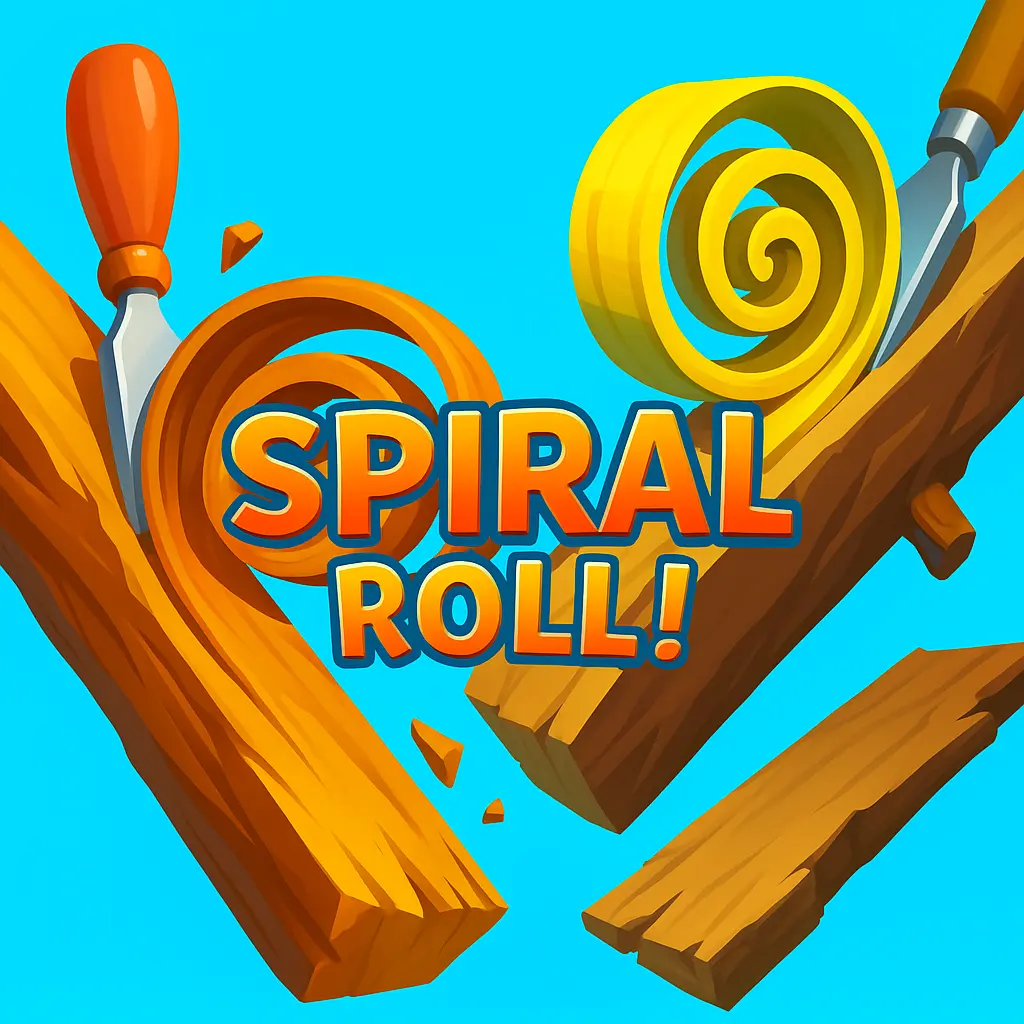
Spiral Roll is a casual arcade game built around a simple, tactile idea: carve into a wooden surface, form a curling spiral, and use that rolling piece to…
 Works on Desktop & Mobile
Tested By XoomGames
- Test date
- August 22, 2026
- Tested on
- Chrome 150
- Device
- Desktop
- Operating system
- macOS and Windows
- Game loaded successfully
- Yes
- Fullscreen works
- Yes
- Sound works
- Yes
- Save progress
- Local browser storage
- Mobile compatibility
- Partially tested
- Keyboard controls
- Working
- Controller support
- Not detected
- Average loading time
- 4.2 seconds
- Known issues
- Minor delay after entering fullscreen
Spiral Roll not loading?
- Refresh the page.
- Disable restrictive content blockers temporarily.
- Confirm JavaScript and WebGL are enabled.
- Clear the browser cache.
- Try another modern browser.
- Close unnecessary tabs.
- Switch off VPN if the game server is blocked.
- Use the Report a Problem button if the issue continues.
Related Games





Continue Playing

Daily Challenge

Play 7 minutes today in Spiral Roll.
Leaderboard
- 1Community rating4.7 ★
- 2Player likes1.2K
- 3Total votes1.3K
- 4Your local progress0%
Your progress is saved locally in this browser. No account required.
 Your progress is saved locally in this browser. No account required.
How to Play
Begin by looking at the surface in front of the carving tool. Your immediate aim is to cut a controlled strip from the wood so it curls into a spiral. Keep your attention on the shape that is forming rather than treating the carving stage as a passive animation. The size of the roll you create determines what you have available when the obstacle section arrives.
- Start the level and identify the wood surface and the route ahead.
- Use the displayed game input to guide the gouge and carve a curling shaving.
- Allow the shaving to build into a spiral instead of releasing it without considering its size.
- Watch for the upcoming obstacle and decide whether your current roll appears sufficient.
- Send the spiral forward and observe how it performs against the barrier.
- Use the result to adjust the next attempt: carve less for efficiency or build a larger spiral when the path demands more force.
The key principle is purposeful carving. A spiral is useful because it can roll and interact with obstacles, so each moment spent cutting should help prepare for that interaction. If the route looks simple, avoid overcommitting to a huge curl just for its own sake. If a substantial obstruction is approaching, give yourself enough carved material to make a meaningful attempt.
Do not worry about learning complex combat, inventory systems, or map rules. Spiral Roll keeps attention on one mechanical relationship: carving creates a spiral, and the spiral is used to clear the way. This makes it accessible at first glance while leaving room to improve through cleaner timing and better judgment.
When a run does not go as planned, treat it as information. The visual outcome tells you whether the spiral was too small, released at an unhelpful moment, or simply not matched to the obstacle. That feedback loop is the fastest route to more consistent clears.
On mobile: use on-screen buttons or gestures when the game supports them.
 On mobile: use on-screen buttons or gestures when the game supports them.
Controls
- ↑Jump
- ← →Move Left / Right
- ↓Crouch
- W / ↑Climb / Interact
- S / ↓Drop / Slide
Spiral Roll is centered on a direct carving interaction. Use the control prompt shown inside the game window to operate the gouge and create a spiral from the surface in front of you. The available research describes the carving mechanic but does not confirm one universal keyboard or pointer layout, so it is best not to rely on an assumed control scheme.
| Action | What it does |
|---|---|
| Carve | Forms a curling spiral |
| Release or advance | Sends the roll onward |
| Observe obstacles | Helps judge spiral size |
On touch-capable devices, follow the touch instruction displayed by the playable version. On desktop, use the mouse or other input specifically requested on screen. The most important part is not a complicated button combination; it is controlling the carving stage so the spiral is ready for the obstacle ahead.
If the game pauses or waits for input, check the game frame for a start, replay, or interaction indicator. Browser versions may present controls differently depending on the device and embedded build.
Game Progress & Challenges
Why Play This Game?
 Instant PlayPlay instantly in your browser.
 Free to PlayNo hidden fees.
About "Spiral Roll"
Spiral Roll is a casual arcade game built around a simple, tactile idea: carve into a wooden surface, form a curling spiral, and use that rolling piece to deal with obstacles ahead. The game combines the visual satisfaction of woodworking with the quick timing decisions of an obstacle-clearing runner. Instead of merely moving a character through a course, you shape the object that will travel through it.
Your main tool is a sharp gouge. As it cuts into the wood, the removed material curls into a larger spiral. That spiral becomes your useful resource: it can roll forward, meet barriers, and help clear the path. The challenge is not just making a curl; it is judging when to keep carving, when to let the spiral travel, and how much material you need for what is coming next.
Spiral Roll is designed for short, direct sessions. Its appeal comes from the visible transformation of a flat surface into a moving coil, followed by the payoff of seeing that coil collide with an obstacle. The premise is easy to understand, but better runs depend on patience, timing, and reading the course rather than carving at random.
Players looking for lightweight browser games can use Spiral Roll as a focused break: start a run, make a clean spiral, and try to turn each carved roll into useful progress.
Gameplay
The central gameplay loop in Spiral Roll is carving, rolling, and clearing. A run begins with a wood surface in front of the gouge. Cutting into that surface produces a curled shaving, which gathers into the recognizable spiral that gives the game its name. The spiral is not just a visual effect. It is the object used to confront obstacles on the route.
Carving for longer creates a more substantial curl, but the important decision is whether that extra carving is worth the time and material. A small spiral may be enough for a simple obstruction, while a more demanding barrier can require a stronger roll. The game therefore gives every cut a purpose: the amount you remove affects the object you send forward.
Once released into the course, the spiral rolls toward the obstacle area. Success comes from matching the spiral you have created to the challenge in front of it. Watching the coil travel also supplies clear feedback. If it breaks through or removes the obstacle, your preparation worked. If it falls short, the next attempt is an opportunity to carve with a different amount of commitment.
The woodworking theme makes this arcade loop especially readable. You can see the gouge cutting, see the spiral form, and see the result when it reaches an obstruction. That direct cause-and-effect structure is useful for new players because the game does not ask you to memorize a complicated move list. It asks you to observe the wood, build a roll deliberately, and react to the route.
Some descriptions of Spiral Roll also identify wood and gold as materials that can be cut. Regardless of the surface shown in a particular run, the core objective remains consistent: shape a spiral and use it effectively against the obstacles ahead.
Platform
Spiral Roll is presented on XoomGames for browser play, making it suited to players who want to start a casual game without installing a separate app. Open the game page in a current web browser, allow the game to load, and use the interaction prompt shown by the playable version.
The game is also associated with mobile releases, where its carving concept is framed as a casual single-player experience. That background helps explain its straightforward, touch-friendly design: the goal is quick visual feedback and an uncomplicated route from carving to rolling. On a browser page, the same short-session format works well for a brief break or a few repeat attempts.
Because browser game embeds can differ by device, the on-screen instructions are the best guide for the exact input method available during your session. If you are on a phone or tablet, use the game’s displayed touch prompt. If you are using a computer, follow the prompt provided in the game window rather than assuming a keyboard layout.
You can explore more online games on XoomGames when you want another quick browser activity after a Spiral Roll run.
How to Play "Spiral Roll"
Begin by looking at the surface in front of the carving tool. Your immediate aim is to cut a controlled strip from the wood so it curls into a spiral. Keep your attention on the shape that is forming rather than treating the carving stage as a passive animation. The size of the roll you create determines what you have available when the obstacle section arrives.
- Start the level and identify the wood surface and the route ahead.
- Use the displayed game input to guide the gouge and carve a curling shaving.
- Allow the shaving to build into a spiral instead of releasing it without considering its size.
- Watch for the upcoming obstacle and decide whether your current roll appears sufficient.
- Send the spiral forward and observe how it performs against the barrier.
- Use the result to adjust the next attempt: carve less for efficiency or build a larger spiral when the path demands more force.
The key principle is purposeful carving. A spiral is useful because it can roll and interact with obstacles, so each moment spent cutting should help prepare for that interaction. If the route looks simple, avoid overcommitting to a huge curl just for its own sake. If a substantial obstruction is approaching, give yourself enough carved material to make a meaningful attempt.
Do not worry about learning complex combat, inventory systems, or map rules. Spiral Roll keeps attention on one mechanical relationship: carving creates a spiral, and the spiral is used to clear the way. This makes it accessible at first glance while leaving room to improve through cleaner timing and better judgment.
When a run does not go as planned, treat it as information. The visual outcome tells you whether the spiral was too small, released at an unhelpful moment, or simply not matched to the obstacle. That feedback loop is the fastest route to more consistent clears.
Controls
Spiral Roll is centered on a direct carving interaction. Use the control prompt shown inside the game window to operate the gouge and create a spiral from the surface in front of you. The available research describes the carving mechanic but does not confirm one universal keyboard or pointer layout, so it is best not to rely on an assumed control scheme.
| Action | What it does |
|---|---|
| Carve | Forms a curling spiral |
| Release or advance | Sends the roll onward |
| Observe obstacles | Helps judge spiral size |
On touch-capable devices, follow the touch instruction displayed by the playable version. On desktop, use the mouse or other input specifically requested on screen. The most important part is not a complicated button combination; it is controlling the carving stage so the spiral is ready for the obstacle ahead.
If the game pauses or waits for input, check the game frame for a start, replay, or interaction indicator. Browser versions may present controls differently depending on the device and embedded build.
Can "Spiral Roll" Unblocked?
Spiral Roll unblocked play on XoomGames is intended for players who want a browser-based way to enjoy the carving-and-rolling arcade loop. Load the game from this page and use the instructions visible in the game window to begin. There is no need to describe the game as a download-only experience when you are looking for a quick session in a browser.
Access can still depend on your own internet connection, browser settings, device compatibility, and any rules applied by the network you are using. A school, workplace, library, or managed network may restrict gaming sites independently of the game itself. If a page does not load, try a current browser, refresh the page, and check whether your connection permits browser games.
Once the game is running, Spiral Roll is best approached as a short casual challenge. You can jump into the carving action, learn from each obstacle attempt, and replay when you want to improve the size and timing of your next spiral.
Tips for "Spiral Roll"
Start with control rather than maximum size. It can be tempting to carve as much wood as possible because a large spiral looks powerful, but a useful run depends on creating the right roll for the obstacle. Build enough material to give the spiral a clear purpose, then let it do its job.
- Read ahead before committing. Look toward the obstacle area while carving. A modest barrier may not justify extended cutting, while a larger obstruction is a signal to prepare a more substantial curl.
- Use the spiral as feedback. Its shape and movement show the effect of your carving. If it cannot make a meaningful impact, change the amount you carve next time.
- Do not treat misses as random. A failed roll usually provides a visible clue. Consider whether you created too little material, spent too long carving, or released without matching the route.
- Favor repeatable timing. A consistent carving rhythm is more valuable than wild adjustments. Once you find an approach that works for a type of obstacle, use it as a baseline.
- Keep the objective in view. The goal is obstacle clearing, not simply making the prettiest possible wood shaving. A clean-looking spiral is satisfying, but its real value is what it can do on the course.
For new players, make the first few attempts into observation runs. Watch how a small, medium, and larger spiral behave when they roll forward. This creates a practical sense of scale without needing a numerical power meter. You will learn to connect the visible amount of carved wood with the likely result at the obstacle.
Stay patient when the course asks for more preparation. Spiral Roll rewards the moment when a carefully formed coil reaches a barrier and clears it. Rushing the carving phase can remove that advantage. Conversely, when the path is forgiving, efficient carving keeps the run moving and avoids unnecessary effort.
If the game offers coins or new wood carvers during play, treat them as progression rewards rather than a substitute for timing. The basic skill still comes from understanding the carve-roll-obstacle cycle. Better judgment makes the satisfying moments happen more reliably.
Features "Spiral Roll"
Spiral Roll stands out through a compact set of mechanics that are easy to recognize and rewarding to repeat. Its strongest feature is the transformation at the center of every run: a gouge cuts into a surface, the removed material curls into a spiral, and that spiral rolls toward an obstacle. The game makes the player’s action visible from beginning to end.
- Woodworking-inspired interaction: Carve material with a gouge rather than controlling a conventional runner or vehicle.
- Rolling spiral mechanic: Turn a carved curl into a moving object that can confront obstacles.
- Obstacle-clearing objective: Build spirals with the practical aim of opening the route ahead.
- Casual single-player format: Focus on individual runs, visual feedback, and repeat attempts.
- Short-session structure: Understand the core loop quickly and return whenever you want a focused arcade challenge.
- Progression elements: The game is associated with earning coins and obtaining new wood carvers.
- Material variety: Descriptions of the game mention carving wood and gold, while preserving the same spiral-building idea.
The feature set is effective because the mechanics reinforce one another. The carving is satisfying to watch, but it also creates the tool needed for the next part of the level. The obstacle is not an unrelated hazard; it tests the spiral you have just made. That link gives the game a clear rhythm and makes each result understandable.
Spiral Roll also benefits from being approachable without being empty. A first-time player can immediately grasp that a larger carved curl may help with a tougher obstacle. With repeated attempts, the same player can become more deliberate about carving duration, spiral size, and the moment the roll is sent forward. That balance makes it a natural fit for casual browser play.
Best "Spiral Roll" Similar Games & Top Picks
- Burger Restaurant Simulator 3D: Play Burger Restaurant Simulator 3D unblocked on XoomGames. Cook burgers, serve customers, and manage your restaurant in your browser.
- Minicraft: Play Minicraft unblocked on XoomGames. Gather resources, craft useful tools, battle enemies, and build a safe home in your browser.
- Papas Cluckeria: Play Papas Cluckeria, a chicken sandwich restaurant time-management game. Cook orders, serve customers, and improve your workflow.
- Carrom Clash: Play Carrom Clash online on desktop or mobile. Learn the controls, aiming basics, gameplay flow, and useful carrom board tips.
- Aqua Bits: Play Aqua Bits, an underwater survival arcade game. Collect floating bits, grow your fish, avoid predators, and climb the ocean food chain.
FAQ - Spiral Roll
What is Spiral Roll?
Spiral Roll is a casual arcade game about carving a surface with a sharp gouge to create a curled spiral. The spiral then rolls forward and is used to destroy or clear obstacles. Its core appeal is the connection between the carving action and the visible result on the course.
What is the main goal in Spiral Roll?
The main goal is to form useful spirals and use them to get past obstacles. Rather than simply carving for decoration, you are preparing a rolling object that needs to perform well when it reaches the barriers ahead.
How do you make a spiral in the game?
You use the game’s displayed interaction to guide the gouge across the surface. As material is cut away, it curls into a spiral. The exact input can vary by the browser version and device, so follow the control prompt inside the game window.
Why does the size of the spiral matter?
Spiral size matters because the carved roll is what meets the obstacles. A small curl may be enough in an easier situation, while a more demanding barrier may call for more carved material. Watching how each roll performs helps you judge how much to carve in later attempts.
Can I play Spiral Roll in a browser?
Yes. Spiral Roll is available on this XoomGames page as a browser game. Open the page, wait for the game to load, and use the on-screen instructions for your device. Browser access may depend on your connection, browser settings, and local network permissions.
Is Spiral Roll a multiplayer game?
The available game information describes Spiral Roll as a single-player casual game. The experience is focused on your own carving decisions, rolling spirals, obstacle attempts, and repeat runs rather than competitive or cooperative multiplayer play.
Does Spiral Roll have coins or unlocks?
Game descriptions mention earning coins and getting new wood carvers. These are progression-oriented elements connected to the carving theme. Availability and presentation can differ between versions, but the central gameplay remains carving spirals and using them against obstacles.
What are the best beginner tips for Spiral Roll?
Watch the upcoming obstacle before carving too much, create a spiral with a clear purpose, and learn from every result. If a roll fails to clear a barrier, adjust the amount you carve on the next attempt. Consistent, deliberate carving is more useful than trying to make the biggest possible spiral every time.
 Report a Problem
Comments About Spiral Roll