


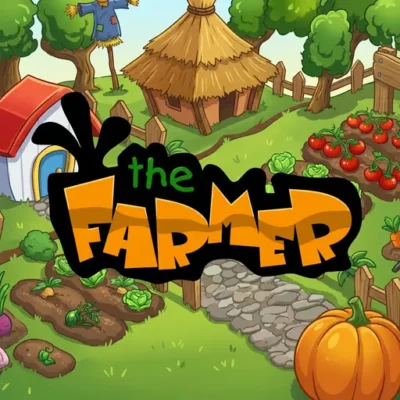
The Farmer
The Farmer is a browser-based farm management game built around the satisfying routine of growing produce and looking after a working farm. Instead of racing through a fixed…
 Works on Desktop & Mobile
Tested By XoomGames
- Test date
- August 20, 2026
- Tested on
- Chrome 150
- Device
- Desktop
- Operating system
- macOS and Windows
- Game loaded successfully
- Yes
- Fullscreen works
- Yes
- Sound works
- Yes
- Save progress
- Local browser storage
- Mobile compatibility
- Partially tested
- Keyboard controls
- Working
- Controller support
- Not detected
- Average loading time
- 4.2 seconds
- Known issues
- Minor delay after entering fullscreen
The Farmer not loading?
- Refresh the page.
- Disable restrictive content blockers temporarily.
- Confirm JavaScript and WebGL are enabled.
- Clear the browser cache.
- Try another modern browser.
- Close unnecessary tabs.
- Switch off VPN if the game server is blocked.
- Use the Report a Problem button if the issue continues.
Related Games

Continue Playing
Daily Challenge

Play 7 minutes today in The Farmer.
Leaderboard
- 1Community rating4.7 ★
- 2Player likes759
- 3Total votes811
- 4Your local progress0%
Your progress is saved locally in this browser. No account required.
 Your progress is saved locally in this browser. No account required.
How to Play
Start by looking over the entire farm rather than immediately selecting the first available action. The key to understanding the game is recognizing that crops and chickens are part of one shared management routine. Fields need planting and harvesting, while chickens need care; a strong farm routine gives both areas regular attention.
When a planting opportunity is available, choose the appropriate crop or produce option from the game interface and place it in a usable growing area. After planting, the objective is to let the farm’s growth process advance until the produce is ready. Once fruit or vegetables can be harvested, collect them promptly and review the field again for the next productive step.
Use this practical approach during a typical play session:
- Scan the farm for visual changes and available tasks.
- Prioritize produce that is ready to harvest, since completed crops should not be overlooked.
- Plant in open or newly available areas to keep the growing cycle active.
- Visit the chicken area and complete any care action the game makes available.
- Return to the crop areas and check whether another task has become ready.
- Continue alternating between produce management and animal care.
New players should avoid treating the farm as a set of unrelated buttons. Every action has a place in a loop: planting creates future harvest work, harvesting restores a field for future planting, and chicken care maintains the livestock side of the farm. That loop is the main system to learn.
The best early goal is consistency, not speed. Take time to identify what each part of the interface represents and what changes after an action. Once the rhythm of planting, growing, harvesting, and caring for chickens is clear, the game becomes easier to manage and more relaxing to play.
On mobile: use on-screen buttons or gestures when the game supports them.
 On mobile: use on-screen buttons or gestures when the game supports them.
Controls
- ↑Jump
- ← →Move Left / Right
- ↓Crouch
- W / ↑Climb / Interact
- S / ↓Drop / Slide
The Farmer uses its own on-screen game interface for farm actions. Follow the visual prompts within the game to select crops, manage growing areas, harvest produce, and handle chicken-related tasks. Because browser versions and device setups can present inputs differently, the game’s displayed instructions should be treated as the authority for the exact control method.
For comfortable play, keep the game window visible enough to inspect the full farm before choosing an action. Farm management benefits from deliberate selection: look for ready fruit, vegetables, crops, or animal-care prompts first, then interact with the relevant area.
- Use the on-screen interface to choose available farm tasks.
- Check visual changes in fields before planting or harvesting.
- Review the chicken area as part of every farm check.
- Use any in-game help or prompt text when available for exact inputs.
This approach prevents control confusion while keeping the focus on the real objective: maintaining a steady crop-and-chicken workflow.
Game Progress & Challenges
Why Play This Game?
 Instant PlayPlay instantly in your browser.
 Free to PlayNo hidden fees.
About "The Farmer"
The Farmer is a browser-based farm management game built around the satisfying routine of growing produce and looking after a working farm. Instead of racing through a fixed course or relying on fast reactions alone, players focus on practical agricultural tasks: planting fruits and vegetables, waiting for crops to become ready, harvesting what has grown, and caring for chickens.
The central appeal is the connection between small actions and visible progress. A planted crop becomes part of the farm’s output, while animal care adds another responsibility to the daily management loop. This gives the game a clear simulation-style identity: observe the farm, decide what needs attention, and keep its productive areas moving forward.
It is a good fit for players who enjoy casual management games with simple goals, clear visual feedback, and a calmer pace than action-heavy arcade titles. The important challenge is not beating an opponent; it is organizing your attention across crops, fruit, vegetables, and chickens so that useful work is not left unfinished. Each return to the farm offers another chance to check its condition, collect ready produce, and plan the next task.
Gameplay
The gameplay loop in this farm game revolves around production and care. You begin by working with the available farm areas, then plant fruits or vegetables and monitor them as they develop. When produce is ready, harvesting turns the growing stage into a completed task and clears attention for the next part of the farm routine.
Chickens are a second major gameplay focus. Their presence makes the farm feel less like a crop-only garden and more like a small agricultural operation with separate responsibilities. Moving between plant care and chicken care is where the management element becomes meaningful. Rather than treating every action as identical, players need to notice which part of the farm currently needs work.
A productive session generally follows a repeatable sequence:
- Inspect the farm for crops, fruit, vegetables, or animals that need attention.
- Plant when a growing area is available.
- Allow planted produce to progress through its growth cycle.
- Harvest mature crops instead of leaving them unattended.
- Check on chickens and complete their care tasks.
- Repeat the routine while keeping the farm active.
The game’s strongest feedback comes from seeing a field move from empty space to planted crops and then to harvestable produce. This makes it approachable for new players while still rewarding orderly habits. Players who check several areas before acting can make better use of each visit than players who focus on only one task at a time.
Because the experience centers on farming activities rather than a single finish line, progress feels cumulative. The farm becomes the record of your decisions: what you planted, what is ready to harvest, and whether the chicken-related work is being maintained alongside the crop cycle.
Platform
This version is presented as an online browser game, so the farm can be played through the game page without treating it like a traditional boxed game or a board-game session. The gameplay is designed around interacting with a farm interface and following its on-screen state: planted areas, ready produce, and chicken care all provide visual prompts for what to do next.
Browser play is especially useful for a management game because a session can be approached at a comfortable pace. You can spend time inspecting the farm before choosing your next action rather than needing to memorize a long sequence of commands. For the smoothest experience, use a modern browser, keep the game page open while playing, and make sure the game area is fully visible.
The exact availability of a game can vary by device, browser settings, connection, or local network rules. If the game area does not load as expected, refreshing the page, reopening the browser, or trying another supported browser may help. Players looking for more quick-play titles can also explore browser games.
How to Play "The Farmer"
Start by looking over the entire farm rather than immediately selecting the first available action. The key to understanding the game is recognizing that crops and chickens are part of one shared management routine. Fields need planting and harvesting, while chickens need care; a strong farm routine gives both areas regular attention.
When a planting opportunity is available, choose the appropriate crop or produce option from the game interface and place it in a usable growing area. After planting, the objective is to let the farm’s growth process advance until the produce is ready. Once fruit or vegetables can be harvested, collect them promptly and review the field again for the next productive step.
Use this practical approach during a typical play session:
- Scan the farm for visual changes and available tasks.
- Prioritize produce that is ready to harvest, since completed crops should not be overlooked.
- Plant in open or newly available areas to keep the growing cycle active.
- Visit the chicken area and complete any care action the game makes available.
- Return to the crop areas and check whether another task has become ready.
- Continue alternating between produce management and animal care.
New players should avoid treating the farm as a set of unrelated buttons. Every action has a place in a loop: planting creates future harvest work, harvesting restores a field for future planting, and chicken care maintains the livestock side of the farm. That loop is the main system to learn.
The best early goal is consistency, not speed. Take time to identify what each part of the interface represents and what changes after an action. Once the rhythm of planting, growing, harvesting, and caring for chickens is clear, the game becomes easier to manage and more relaxing to play.
Controls
The Farmer uses its own on-screen game interface for farm actions. Follow the visual prompts within the game to select crops, manage growing areas, harvest produce, and handle chicken-related tasks. Because browser versions and device setups can present inputs differently, the game’s displayed instructions should be treated as the authority for the exact control method.
For comfortable play, keep the game window visible enough to inspect the full farm before choosing an action. Farm management benefits from deliberate selection: look for ready fruit, vegetables, crops, or animal-care prompts first, then interact with the relevant area.
- Use the on-screen interface to choose available farm tasks.
- Check visual changes in fields before planting or harvesting.
- Review the chicken area as part of every farm check.
- Use any in-game help or prompt text when available for exact inputs.
This approach prevents control confusion while keeping the focus on the real objective: maintaining a steady crop-and-chicken workflow.
Can "The Farmer" Unblocked?
The Farmer is intended for online browser play on its game page, making it convenient for players who want a farm management session without searching for a separate physical game setup. Access is still affected by the device, browser, internet connection, and any restrictions applied by a school, workplace, library, or shared network.
If a network blocks game sites or browser content, do not attempt to bypass that policy. Instead, play from a permitted connection or device and follow the rules of the network you are using. When access is allowed, opening the page in an up-to-date browser is the simplest way to reach the game.
If the game does not appear immediately, try ordinary troubleshooting first: reload the page, confirm that your connection is active, close unnecessary browser tabs, or try again later. These steps address common loading issues without changing any device or network restrictions.
The game’s farm-management format also works well for short permitted breaks. A player can inspect crops, harvest ready produce, care for chickens, and return later for another round of planting and farm upkeep.
Tips for "The Farmer"
The most useful strategy in The Farmer is to think in cycles instead of isolated clicks. Planting is only the beginning of a job. Every crop should eventually be checked, harvested when ready, and followed by another productive decision. A field that receives regular attention is more useful than one you forget after its first action.
- Inspect before acting. Look across the farm for ready produce and chicken tasks before selecting anything. This reduces the chance of overlooking a completed crop.
- Harvest ready produce promptly. Fruits and vegetables that are ready should be collected before you become distracted by new planting options.
- Keep the crop loop active. After harvesting, review whether the available growing area can support the next planting action.
- Do not ignore chickens. Chicken care is a core part of the farm, not a side detail. Add it to every inspection routine.
- Learn visual states. Pay attention to how planted, growing, and ready-to-harvest areas differ on screen. Recognizing those changes speeds up decision-making without rushing.
- Use a steady rhythm. Alternate between crops and livestock rather than repeatedly focusing on one area.
A practical routine is: check fields, harvest what is ready, plant where possible, inspect chickens, then scan the farm again. This sequence covers the game’s repeated responsibilities without requiring complicated planning.
Another useful habit is to let the game’s visual feedback guide you. Farm management games are easier when you react to what the farm currently shows instead of guessing what might be needed. If produce looks ready, harvest it. If a growing space is available, consider planting. If the chicken area needs attention, include it before returning to crop work.
Players seeking a calmer experience should prioritize accuracy over rapid input. The farm is more rewarding when each action supports the next stage of production.
Features "The Farmer"
This game focuses on the recognizable building blocks of a small farm management experience. Its mechanics are easy to understand from the start, but they connect into a useful routine that encourages players to observe, organize, and revisit each farm area.
- Fruit and vegetable planting: Grow different kinds of produce as part of the farm’s crop work.
- Harvesting loop: Watch planted produce progress and collect it when it becomes ready.
- Chicken care: Manage chickens alongside crops to create a broader farm routine.
- Farm management focus: Balance growing tasks and animal-related tasks instead of completing only one kind of activity.
- Clear visual progression: The changing state of fields helps communicate when a crop is planted, growing, or ready for harvest.
- Accessible browser format: Play from the game page and focus on the farm without needing a long setup process.
The most valuable feature is the connection between these systems. Crops provide a repeating plant-to-harvest process, while chickens give players another area to monitor. This prevents the gameplay from becoming a single repetitive action and creates a more complete farm-care rhythm.
The game also has a natural learning curve. A new player can begin by identifying the basic farm actions, then improve by noticing which jobs should be handled first. There is no need to approach it like a complicated economic simulator: the important skill is maintaining attention across the farm’s visible responsibilities.
For players who enjoy farming themes, the combination of produce growing, harvesting, and chicken care supplies meaningful context to each interaction. The farm is not merely a background; it is the working space where every planted crop and completed care task contributes to the ongoing management cycle.
Best "The Farmer" Similar Games & Top Picks
- Bike Xtreme: Play Bike Xtreme online and ride across rugged terrain, launch from jumps, master smooth bike control, and improve your score.
- Flip Diving: A quick browser game pick from the same collection.
- Penalty Kick Online: Play Penalty Kick Online unblocked on XoomGames. Aim for top-corner shots, earn XP, level up, and compete online in your browser.
- Moto Road Rash 3D: Play Moto Road Rash 3D unblocked on XoomGames. Race a customizable motorbike through the city in your browser.
- Speed Legends: Play Speed Legends unblocked on XoomGames. Master precise clicks, rhythm, and sprint timing in your browser.
FAQ - The Farmer
What is The Farmer?
The Farmer is a farm management game in which players care for a farm by planting fruits and vegetables, harvesting produce, and looking after chickens. Its gameplay centers on maintaining a productive farm routine rather than completing a driving course or competing against other players.
What do you do in The Farmer?
You manage crop and animal-related tasks. The main activities include planting produce, monitoring crops as they grow, harvesting fruit and vegetables when they are ready, and caring for chickens. The goal is to keep these responsibilities moving in a sensible cycle.
How do crops work in the game?
Crops begin with planting. After they have time to develop, they become ready for harvesting. Harvesting is important because it completes the current crop task and lets you review the growing area for its next use. Watching for visual changes on the farm helps you recognize when produce needs attention.
Are chickens part of the gameplay?
Yes. Chickens are specifically part of the farm management experience. They add an animal-care responsibility alongside planting and harvesting, so players should include the chicken area whenever they inspect the farm. Regularly checking both crops and chickens creates a more balanced routine.
Can I play The Farmer in a browser?
Yes, this page presents the game for browser play. Use a current browser and keep the game area visible so you can follow its on-screen prompts. Loading can depend on your connection, browser settings, device, and local network permissions.
What are the controls for The Farmer?
Use the game’s on-screen interface and its displayed prompts for the exact actions available in your version. The interface guides farm interactions such as selecting tasks, planting, harvesting, and managing chickens. If you are unsure about an input, check the instructions shown within the game before continuing.
Is The Farmer difficult for beginners?
The basic idea is beginner-friendly because the farm’s jobs are easy to recognize: plant produce, wait for it to become ready, harvest it, and care for chickens. The deeper challenge is staying organized. Beginners can improve quickly by scanning the entire farm before acting and following the same crop-and-chicken routine each time.
What is the best beginner strategy?
Start slowly and make regular farm checks. Harvest ready fruit and vegetables before forgetting them, plant when a suitable growing area is available, and do not leave chicken care out of the routine. A dependable sequence is to inspect fields, harvest ready crops, plant as needed, check chickens, and then inspect the farm once more for changes.





 Report a Problem
Comments About The Farmer