


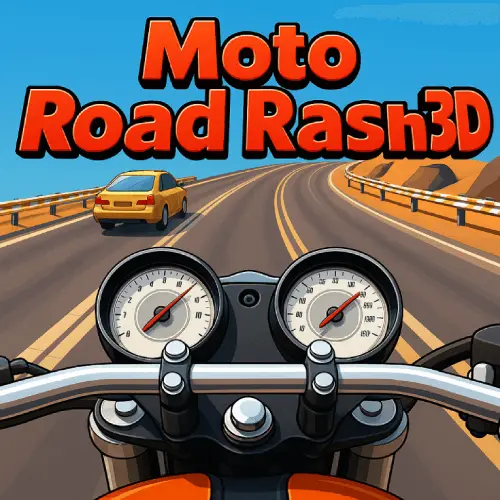
Moto Road Rash 3D
Moto Road Rash 3D is an online motorcycle racing game built around fast city riding, careful balance, and responsive directional decisions. You take control of a motorbike and…
 Works on Desktop & Mobile
Tested By XoomGames
- Test date
- August 26, 2026
- Tested on
- Chrome 150
- Device
- Desktop
- Operating system
- macOS and Windows
- Game loaded successfully
- Yes
- Fullscreen works
- Yes
- Sound works
- Yes
- Save progress
- Local browser storage
- Mobile compatibility
- Partially tested
- Keyboard controls
- Working
- Controller support
- Not detected
- Average loading time
- 4.2 seconds
- Known issues
- Minor delay after entering fullscreen
Moto Road Rash 3D not loading?
- Refresh the page.
- Disable restrictive content blockers temporarily.
- Confirm JavaScript and WebGL are enabled.
- Clear the browser cache.
- Try another modern browser.
- Close unnecessary tabs.
- Switch off VPN if the game server is blocked.
- Use the Report a Problem button if the issue continues.
Related Games


Continue Playing
Daily Challenge

Play 4 minutes today in Moto Road Rash 3D.
Leaderboard
- 1Community rating4.5 ★
- 2Player likes472
- 3Total votes547
- 4Your local progress0%
Your progress is saved locally in this browser. No account required.
 Your progress is saved locally in this browser. No account required.
How to Play
Start by loading Moto Road Rash 3D in your browser and taking a moment to identify the available on-screen options. Choose the mode that matches what you want from the session. Career mode is a sensible choice when you want a more goal-oriented experience, while Endless mode works well when your aim is to settle into the riding rhythm and practice lasting longer.
Before pushing for maximum speed, concentrate on the game’s central skill: balance. The motorcycle responds best when you avoid treating every moment as an emergency. Keep your steering deliberate, watch the route from the first-person view, and make adjustments early rather than waiting until a major correction is necessary. Accuracy is not only about where you move; it is also about choosing the right amount of movement.
- Open the game and wait for the HTML5 session to load fully.
- Select a game mode, such as Career or Endless.
- Review the control prompts shown by the game before beginning.
- Guide the motorbike with measured inputs and protect your balance.
- Use the first-person road view to prepare for your next move.
- Repeat runs to improve consistency instead of relying on one aggressive attempt.
As you become more comfortable, use bike customization to give your motorbike a look you enjoy. Then return to the road and apply what you learned from the previous run. The most productive loop is simple: ride, notice where control became difficult, restart, and make the next set of inputs calmer and more precise. That approach turns a quick arcade session into a skill-building motorcycle challenge.
On mobile: use on-screen buttons or gestures when the game supports them.
 On mobile: use on-screen buttons or gestures when the game supports them.
Controls
- ↑Jump
- ← →Move Left / Right
- ↓Crouch
- W / ↑Climb / Interact
- S / ↓Drop / Slide
Moto Road Rash 3D is designed around simple bike balancing and directional control, but the most reliable guide is the control information displayed inside the game itself. Check the opening screen or in-game prompts before your first full run, since those prompts show the active controls for the version loaded in your browser.
Whatever input method is presented, use it with restraint. The game’s riding challenge is not about making the largest possible adjustment; it is about making a useful one. A brief, intentional direction change is usually easier to manage than repeated rapid corrections.
- Direction: Use the displayed controls to guide the motorbike.
- Balance: Keep movements measured to avoid overcorrecting.
- Timing: React early when the road view changes.
- Practice: Use repeated runs to learn the feel of each input.
If a run starts poorly, do not let frustration create more rushed movements. Reset your focus, return to the control prompts if needed, and treat the next attempt as a chance to refine one part of your riding.
Game Progress & Challenges
Why Play This Game?
 Instant PlayPlay instantly in your browser.
 Free to PlayNo hidden fees.
About "Moto Road Rash 3D"
Moto Road Rash 3D is an online motorcycle racing game built around fast city riding, careful balance, and responsive directional decisions. You take control of a motorbike and aim to keep each ride under control while maintaining the pace needed for a strong result. Its first-person riding perspective puts the road directly in front of you, making small movements and accurate timing feel especially important.
The game focuses on the satisfying contrast at the heart of motorcycle racing: moving quickly without letting speed turn into sloppy handling. A rider who reacts too sharply can lose a clean line, while a rider who stays composed can make better use of every stretch of road. That balance gives the game an approachable arcade feel while still rewarding attention.
Bike customization is part of the experience, so players can shape a motorbike that feels like their own before heading into another run. With Career and Endless among its four available modes, Moto Road Rash 3D gives players both structured goals and a more open way to test how long they can keep riding. It is a strong pick for fans of fast browser games who want a motorcycle-focused challenge without a download.
Gameplay
Moto Road Rash 3D centers on riding a motorcycle through a city environment while managing speed, direction, and balance. The fundamental objective is simple: stay in control, make accurate riding decisions, and keep your momentum going. The challenge comes from doing those things together rather than treating them as separate tasks.
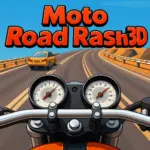
The first-person viewpoint makes the game feel immediate. Instead of watching a distant vehicle from above, you see the route from the rider’s perspective. This presentation places more emphasis on reading what is ahead, anticipating your next adjustment, and avoiding unnecessary steering corrections. Smooth input matters because every overreaction can interrupt the rhythm of a ride.
Four game modes provide different reasons to return. Career mode suits players who want a more directed progression of racing activity, while Endless mode is ideal for practicing consistency and seeing how long a controlled run can last. The other modes add further variety without changing the core appeal: motorcycle riding that asks for nimbleness and accuracy.
Customization adds a personal layer to the racing. Rather than jumping immediately into the next route with the same look every time, you can spend time making your dream bike feel more distinctive. The important gameplay skill remains balance, however. A customized bike still needs a calm rider behind it. Learning when to make a small correction, when to hold a line, and when to prioritize control over a rushed movement is the path to more dependable runs.
Platform
Moto Road Rash 3D is available as an HTML5 online game, so it can be played in a compatible web browser without installing a separate game download. That browser-first format makes it convenient for players who want to start a motorcycle racing session quickly from a game page.
Because the game runs online, the most useful setup is a current browser and a stable connection. Allow the game to finish loading before starting a serious run, especially if you want the clearest response from the controls. Closing unnecessary browser tabs can also help keep your session focused on the road ahead.
The browser version is designed for immediate play: open the page, load the game, choose a mode, and begin riding. There is no need to search for an installer or reserve local storage for a traditional download. For players looking for a city motorbike racer that fits easily into a short break, that low-friction access is a major advantage.
How to Play "Moto Road Rash 3D"
Start by loading Moto Road Rash 3D in your browser and taking a moment to identify the available on-screen options. Choose the mode that matches what you want from the session. Career mode is a sensible choice when you want a more goal-oriented experience, while Endless mode works well when your aim is to settle into the riding rhythm and practice lasting longer.
Before pushing for maximum speed, concentrate on the game’s central skill: balance. The motorcycle responds best when you avoid treating every moment as an emergency. Keep your steering deliberate, watch the route from the first-person view, and make adjustments early rather than waiting until a major correction is necessary. Accuracy is not only about where you move; it is also about choosing the right amount of movement.
- Open the game and wait for the HTML5 session to load fully.
- Select a game mode, such as Career or Endless.
- Review the control prompts shown by the game before beginning.
- Guide the motorbike with measured inputs and protect your balance.
- Use the first-person road view to prepare for your next move.
- Repeat runs to improve consistency instead of relying on one aggressive attempt.
As you become more comfortable, use bike customization to give your motorbike a look you enjoy. Then return to the road and apply what you learned from the previous run. The most productive loop is simple: ride, notice where control became difficult, restart, and make the next set of inputs calmer and more precise. That approach turns a quick arcade session into a skill-building motorcycle challenge.
Controls
Moto Road Rash 3D is designed around simple bike balancing and directional control, but the most reliable guide is the control information displayed inside the game itself. Check the opening screen or in-game prompts before your first full run, since those prompts show the active controls for the version loaded in your browser.
Whatever input method is presented, use it with restraint. The game’s riding challenge is not about making the largest possible adjustment; it is about making a useful one. A brief, intentional direction change is usually easier to manage than repeated rapid corrections.
- Direction: Use the displayed controls to guide the motorbike.
- Balance: Keep movements measured to avoid overcorrecting.
- Timing: React early when the road view changes.
- Practice: Use repeated runs to learn the feel of each input.
If a run starts poorly, do not let frustration create more rushed movements. Reset your focus, return to the control prompts if needed, and treat the next attempt as a chance to refine one part of your riding.
Can "Moto Road Rash 3D" Unblocked?
Moto Road Rash 3D can be played as an online HTML5 game in a browser, with no separate download required. That makes it a practical choice for players seeking an unblocked-style browser gaming option: load the game page, let it initialize, and begin a motorcycle racing session from the same place.
Availability can still depend on the browser, network, and local access rules of the device you are using. If a game page does not load normally, use a supported browser, refresh the page, and check whether the connection is stable. Do not bypass school, workplace, library, or network restrictions; follow the rules that apply where you are playing.
When access is permitted, the browser format is useful because it removes installation steps. You can focus on choosing a mode, customizing your bike, and improving your balance rather than managing a download. It is an easy way to fit a city motorbike race into free time while keeping the experience centered on quick online play.
Tips for "Moto Road Rash 3D"
The best Moto Road Rash 3D strategy is controlled momentum. The game rewards nimbleness and accuracy, but those qualities do not mean constantly making dramatic movements. A skilled run usually looks calmer than a rushed one because the rider makes smaller adjustments before the situation becomes difficult.
- Learn the first-person view: Keep your attention on the visible road area and use it to prepare your next movement. The closer perspective makes anticipation more valuable than late reactions.
- Protect balance first: Speed matters in a motorcycle racing game, yet speed without control makes accurate riding harder. Keep the bike settled before committing to another adjustment.
- Avoid repeated corrections: If you move one direction and immediately move back again, you can disrupt your line. Try one purposeful correction, then reassess.
- Use Endless mode for consistency: Endless play is useful when you want to practice maintaining a smooth rhythm over time rather than concentrating only on a single short objective.
- Use Career mode for focus: A more directed mode can help you approach runs with a specific goal and pay closer attention to your decisions.
- Customize, then concentrate: Make your motorbike look the way you prefer, but remember that visual personalization does not replace patient handling.
For improvement, choose one habit per session. Perhaps your goal is to steer less sharply, hold a steadier direction, or look farther ahead in the first-person view. A narrow goal is easier to judge than trying to improve everything at once. Once that habit starts to feel natural, add another.
It also helps to separate a bad run from a bad strategy. One mistake does not mean you need to abandon careful riding. Restart, identify the moment when balance was lost, and try a slightly earlier or gentler response next time. Over several attempts, those small changes create much more reliable motorcycle control.
Features "Moto Road Rash 3D"
Moto Road Rash 3D brings several recognizable motorcycle racing elements into an accessible HTML5 browser format. Its feature set is built around immediate riding action rather than a lengthy setup process, making it suitable for players who want to get on the road quickly.
- Online HTML5 play: Play through a compatible browser without a separate game download.
- City motorcycle racing: Ride a motorbike through a city setting with the road presented directly ahead.
- First-person riding view: Experience the action from the rider’s perspective, which makes awareness and timing central to each run.
- Bike customization: Personalize your motorbike and create a look that feels closer to your ideal ride.
- Four game modes: Choose from multiple ways to play, including Career and Endless modes.
- Balance-focused handling: The game emphasizes keeping the bike controlled through simple but important riding inputs.
- Accuracy-based challenge: Nimbleness and precise movement are key to improving your performance.
The combination of first-person presentation and balance-based riding is the feature that gives the game its identity. You are not merely selecting a mode and watching a race unfold; you are actively managing the motorcycle’s direction and composure from moment to moment. That makes repeated attempts meaningful, since each session can improve your timing.
The mode selection also adds useful flexibility. Career provides a structured way to engage with the game, while Endless gives you room to practice the core riding loop at your own pace. Add customization and browser access, and Moto Road Rash 3D becomes a straightforward choice for players who want motorcycle racing action without installing anything first.
Best "Moto Road Rash 3D" Similar Games & Top Picks
- Speed Legends: Play Speed Legends unblocked on XoomGames. Master precise clicks, rhythm, and sprint timing in your browser.
- Speed Master: Play Speed Master unblocked on XoomGames. Dodge obstacles, collect cash, and upgrade your ride in your browser.
- SoFlo Wheelie Life: Play SoFlo Wheelie Life unblocked on XoomGames. Balance your bike on one wheel and chase a longer wheelie in your browser.
- Slow Roads: Play Slow Roads unblocked on XoomGames. Chase the horizon on endless scenic roads in your browser.
- Drift Boss: Play Drift Boss unblocked on XoomGames. Hold, release, and time every drift to stay on the twisting browser track.
FAQ - Moto Road Rash 3D
What is Moto Road Rash 3D?
Moto Road Rash 3D is an online motorcycle racing game in which you ride a motorbike through a city environment. It uses a first-person riding perspective and emphasizes balance, nimbleness, and accurate movement. Players can also customize their bike and select from four game modes.
Can I play Moto Road Rash 3D without downloading it?
Yes. The game is available as an HTML5 online game, so no separate download is necessary. Open it in a compatible browser, wait for the game to load, and begin your session from the game page.
Is Moto Road Rash 3D free to play?
Moto Road Rash 3D is presented as a free online game. Its browser-based format lets players start a session without installing a traditional game client. Check the game page for the current play options available in your browser.
What game modes are available in Moto Road Rash 3D?
The game has four modes. Career and Endless are specifically available. Career is suited to players looking for a more directed racing experience, while Endless is useful for practicing smooth riding and trying to maintain control for as long as possible.
Does Moto Road Rash 3D have bike customization?
Yes. The game includes motorbike customization, allowing players to create a bike with a more personal look. Customization is a visual and personal part of the experience, while successful riding still depends on careful balance and accurate decisions.
What are the controls for Moto Road Rash 3D?
Use the control prompts shown inside the loaded game as the authority for the current version. The gameplay is described as using simple balancing control, so concentrate on gentle, deliberate inputs rather than rapid overcorrections. Reviewing the prompts before a serious run is the best way to start confidently.
What is the best way to improve at the game?
Focus on consistency before chasing maximum speed. Watch the road from the first-person view, make smaller directional adjustments, and keep the motorbike balanced. Endless mode can be especially helpful for practicing a steady rhythm, while Career mode can give your runs a clearer sense of purpose.
Can Moto Road Rash 3D be played in a browser at school or work?
The game uses browser-based HTML5 technology, but access depends on the network and local rules where you are playing. Always follow school, workplace, library, and network policies. If play is permitted, use a compatible browser and a stable connection for the smoothest session.

 Report a Problem
Comments About Moto Road Rash 3D