


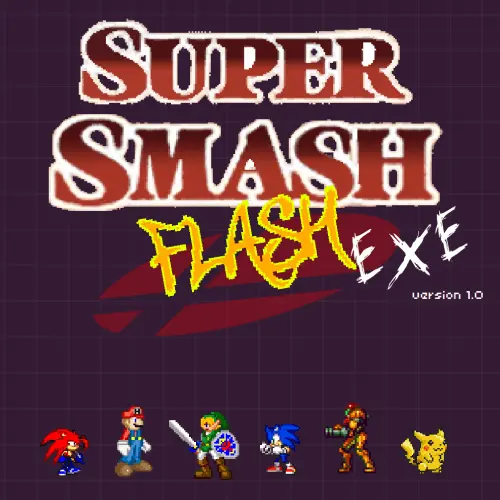
Super Smash Flash
Super Smash Flash is a retro action fighting game built around fast character battles and knockout-focused matches. Developed by Gregory McLeod and released in 2006, it is known…
 Works on Desktop & Mobile
Tested By XoomGames
- Test date
- 2006
- Tested on
- Chrome 150
- Device
- Desktop
- Operating system
- macOS and Windows
- Game loaded successfully
- Yes
- Fullscreen works
- Yes
- Sound works
- Yes
- Save progress
- Local browser storage
- Mobile compatibility
- Partially tested
- Keyboard controls
- Working
- Controller support
- Not detected
- Average loading time
- 4.2 seconds
- Known issues
- Minor delay after entering fullscreen
Super Smash Flash not loading?
- Refresh the page.
- Disable restrictive content blockers temporarily.
- Confirm JavaScript and WebGL are enabled.
- Clear the browser cache.
- Try another modern browser.
- Close unnecessary tabs.
- Switch off VPN if the game server is blocked.
- Use the Report a Problem button if the issue continues.
Related Games
Continue Playing
Daily Challenge

Play 7 minutes today in Super Smash Flash.
Leaderboard
- 1Community rating4.6 ★
- 2Player likes752
- 3Total votes838
- 4Your local progress0%
Your progress is saved locally in this browser. No account required.
 Your progress is saved locally in this browser. No account required.
How to Play
Begin Super Smash Flash by waiting for the game menu to appear, then choose a character and any available battle settings. Once the match starts, move around the arena, approach carefully, and use your fighter’s attacks to challenge the opponent. Your purpose is to gain control of the encounter and knock the rival into a losing position.
A useful beginner routine is to spend the opening moments learning distance. Walk or move around the stage, see how quickly your character changes direction, and test attacks when the opponent is near. Do not assume every attack has the same range or timing. A move that works beside an opponent may be ineffective when they are above, below, or farther away.
- Load the game and select a fighter.
- Choose the available options for the match.
- Use movement to take a safe position in the arena.
- Attack when the opponent enters an effective range.
- Try to push the opponent toward an edge or other unfavorable space.
- Stay alert after a strong hit, because the opponent may attempt to return.
New players often improve quickly by treating each exchange as a positioning problem. If you are near an edge with an opponent facing you, retreat or change height instead of forcing an attack. If the opponent is cornered, maintain control without standing so close that you are easily countered. This creates a clear loop: gain space, land a hit, follow the opponent’s movement, and protect your own route back into the fight.
Matches reward patience as much as speed. The most useful attacks are the ones that connect safely and leave you ready for what happens next. Learn one fighter at a time, then use that knowledge to recognize which situations favor you.
On mobile: use on-screen buttons or gestures when the game supports them.
 On mobile: use on-screen buttons or gestures when the game supports them.
Controls
- ↑Jump
- ← →Move Left / Right
- ↓Crouch
- W / ↑Climb / Interact
- S / ↓Drop / Slide
Super Smash Flash uses keyboard-driven fighting-game input in its browser presentation. Exact key assignments can vary between playable builds or embedded versions, so check the game’s own menu, instructions screen, or control prompt before a match if it is available. This is more reliable than assuming a control layout from another version of the game.
| Input purpose | What it does |
|---|---|
| Movement | Reposition your fighter |
| Jumping | Change height or recover |
| Attacking | Challenge an opponent |
| Menu input | Select options |
Click inside the game window before using the keyboard so the browser knows where to send your input. If a key appears not to work, first confirm that the game has focus and that no browser dialog, search field, or other tab is active. For local shared play where supported by the loaded version, make sure each player understands the displayed setup before starting a match.
Game Progress & Challenges
Why Play This Game?
 Instant PlayPlay instantly in your browser.
 Free to PlayNo hidden fees.
About "Super Smash Flash"
Super Smash Flash is a retro action fighting game built around fast character battles and knockout-focused matches. Developed by Gregory McLeod and released in 2006, it is known as a Super Smash Bros. fangame with a large crossover-style roster for its era. Players choose a fighter, adjust the available options, and enter compact battles where positioning and well-timed attacks matter.
The game features 28 different characters, giving players many possible matchups and fighting styles to explore. Rather than treating every round like a traditional health-bar fighter, the main objective is to pressure an opponent, land useful hits, and send them out of the battle area. That makes movement, recovery, edge awareness, and attack timing important parts of every encounter.
Super Smash Flash has an immediately recognizable retro presentation, but its appeal is not only nostalgia. It offers direct pick-up-and-play competition: choose a character, learn how that fighter moves, and try to control the stage more effectively than your opponent. It is a fitting choice for players looking through XoomGames for quick browser games with arcade-style action, recognizable characters, and repeatable one-on-one or multiplayer-style battles.
Gameplay
Super Smash Flash centers on arena fighting rather than long rounds of slowly reducing a life bar. A match is about creating a favorable position, connecting attacks, and making it difficult for the opponent to return safely after being pushed away. Every hit can change spacing, so players benefit from watching where both fighters are standing instead of attacking without a plan.
Start by selecting one of the available characters and reviewing the match options presented by the game. Different fighters encourage different decisions. Some attacks are useful when an opponent is close, while others are better for intercepting movement, controlling space, or challenging a rival near the edge. The most reliable approach is to test a character’s movement and attacks before committing to aggressive exchanges.
Because the goal is to knock an opponent down or out, a successful sequence is not always about landing the most attacks. A single well-positioned hit can be more valuable than several unsafe swings. Push an opponent toward a dangerous area, remain ready for their return, and avoid placing your own fighter where recovery becomes difficult.
- Character selection: Choose from 28 fighters and experiment with their individual feel.
- Stage awareness: Keep track of edges, platforms, and the space behind each fighter.
- Attack timing: Use attacks when they can connect cleanly rather than repeatedly guessing.
- Knockout pressure: Turn favorable positioning into a chance to force an opponent out.
The strongest gameplay habit is adaptation. If an opponent keeps approaching from the same direction, hold a safer position and prepare an answer. If they retreat, take space rather than chasing carelessly. This simple focus gives Super Smash Flash more depth than its straightforward retro format first suggests.
Platform
Super Smash Flash is presented on XoomGames as a game for browser-based play. Open the game page, allow the game area to load, and begin from the available menu. A modern desktop or laptop browser is generally the most practical way to play a retro fighting game because it provides a keyboard and enough screen space to follow both fighters and the battle boundaries.
The game’s original identity is closely associated with the Flash-game era, which is why its name and visual style are often described as retro. For players, the useful point is simple: use the playable version provided on this page rather than expecting to install a separate game client. Availability and input behavior can depend on the embedded game version and the device being used.
For the clearest experience, close unnecessary browser tabs, use a stable connection while the game loads, and keep the game window in focus before trying to move a fighter. If the game does not react to input immediately, click inside the game area first. That small step often prevents browser focus from intercepting keyboard commands.
How to Play "Super Smash Flash"
Begin Super Smash Flash by waiting for the game menu to appear, then choose a character and any available battle settings. Once the match starts, move around the arena, approach carefully, and use your fighter’s attacks to challenge the opponent. Your purpose is to gain control of the encounter and knock the rival into a losing position.
A useful beginner routine is to spend the opening moments learning distance. Walk or move around the stage, see how quickly your character changes direction, and test attacks when the opponent is near. Do not assume every attack has the same range or timing. A move that works beside an opponent may be ineffective when they are above, below, or farther away.
- Load the game and select a fighter.
- Choose the available options for the match.
- Use movement to take a safe position in the arena.
- Attack when the opponent enters an effective range.
- Try to push the opponent toward an edge or other unfavorable space.
- Stay alert after a strong hit, because the opponent may attempt to return.
New players often improve quickly by treating each exchange as a positioning problem. If you are near an edge with an opponent facing you, retreat or change height instead of forcing an attack. If the opponent is cornered, maintain control without standing so close that you are easily countered. This creates a clear loop: gain space, land a hit, follow the opponent’s movement, and protect your own route back into the fight.
Matches reward patience as much as speed. The most useful attacks are the ones that connect safely and leave you ready for what happens next. Learn one fighter at a time, then use that knowledge to recognize which situations favor you.
Controls
Super Smash Flash uses keyboard-driven fighting-game input in its browser presentation. Exact key assignments can vary between playable builds or embedded versions, so check the game’s own menu, instructions screen, or control prompt before a match if it is available. This is more reliable than assuming a control layout from another version of the game.
| Input purpose | What it does |
|---|---|
| Movement | Reposition your fighter |
| Jumping | Change height or recover |
| Attacking | Challenge an opponent |
| Menu input | Select options |
Click inside the game window before using the keyboard so the browser knows where to send your input. If a key appears not to work, first confirm that the game has focus and that no browser dialog, search field, or other tab is active. For local shared play where supported by the loaded version, make sure each player understands the displayed setup before starting a match.
Can "Super Smash Flash" Unblocked?
To play Super Smash Flash without unnecessary interruptions, open the XoomGames game page in a supported browser and wait for the game to finish loading. Browser-based games work best when the page remains open, the game frame is selected, and network restrictions are not preventing game content from loading.
If you are on a school, workplace, library, or managed network, access rules are controlled by that network’s administrator. Do not attempt to bypass filters, security settings, or acceptable-use policies. Instead, play on a permitted connection, during approved personal time, or on a device and network where browser games are allowed.
When access is permitted but the game appears unresponsive, refresh the page once, check your connection, and click the game area before pressing keys. Disabling unnecessary extensions for the page may also help if they interfere with browser content, but only use settings you are authorized to change. The goal is a normal, policy-compliant browser session with the game focused and ready for input.
Tips for "Super Smash Flash"
Super Smash Flash is easier to enjoy when you prioritize stage control over random aggression. The opponent is most vulnerable when they have limited space, are recovering from a hit, or are forced toward an edge. Your job is to recognize those moments while keeping your own fighter out of the same danger.
- Learn one character first: Repeatedly using the same fighter helps you understand movement, reach, and useful attack ranges.
- Watch the edge: Standing near the boundary can be risky. Leave yourself room to retreat or change direction.
- Do not chase every hit: After knocking an opponent away, move into a strong position instead of automatically following them into danger.
- Attack with a purpose: Choose attacks because the opponent is in range, not simply because you are close.
- Use the middle of the stage: Central space usually gives more options when an exchange goes wrong.
- Observe repeated habits: If a rival always approaches in the same way, prepare a safer response for that route.
A strong beginner improvement is to separate movement from attacking. First move into a favorable location. Then attack when the opponent enters the area your fighter can cover. This reduces missed swings and makes it harder for the rival to punish you after an unsafe attempt.
Also pay attention after you connect. A hit is not the end of the decision; it is the start of a new one. Ask whether the opponent is likely to return from above, from the side, or toward the center, then place your fighter where they will have to deal with you. That recovery-focused thinking is a useful information advantage that turns simple knockback into sustained pressure.
Finally, keep matches readable. Fast button presses can feel exciting, but deliberate inputs are more likely to produce a clean attack, safer spacing, and a better chance of staying in control.
Features "Super Smash Flash"
Super Smash Flash combines recognizable crossover-fighter appeal with the compact, direct feel of a classic browser action game. Its central feature is a roster of 28 characters, giving players many choices before a match even begins. Selecting different fighters is not just cosmetic; it changes how a player approaches distance, timing, and stage position.
- 28 playable characters: A substantial selection for experimenting with different matchups.
- Retro fighting format: Quick arena battles built around movement and knockouts.
- Character and option selection: Set up a battle before entering the action.
- Knockout-based objective: Focus on sending opponents into losing positions rather than draining a standard health bar.
- Stage-control gameplay: Edges, spacing, and recovery opportunities influence each exchange.
- Browser-oriented access: Play from the game page without presenting the experience as a lengthy install-first title.
The game is also notable for its fangame identity. It draws on the broad appeal of Super Smash Bros.-style competition while delivering its own early-2000s Flash-era presentation. That context explains why players often seek it out for recognizable character battles, short sessions, and a nostalgic arcade atmosphere.
Its practical strength is replayability. You can return with a different fighter, test a new matchup, or focus on improving one part of your play such as safer movement near edges. The simple goal makes Super Smash Flash approachable, while the combination of character choice and positional decisions gives players reasons to keep practicing.
Best "Super Smash Flash" Similar Games & Top Picks
- Red Ball 3: Play Red Ball 3 unblocked on XoomGames. Roll, bounce, collect stars, and reach each level flag in your browser.
- Ragdoll Arena: Play Ragdoll Arena unblocked on XoomGames. Fight through physics-driven 2D arenas with unpredictable ragdoll action in your browser.
- Rocket Bot Royale: Play Rocket Bot Royale unblocked on XoomGames. Rocket-jump, climb walls, collect coins, and outlast rivals in your browser.
- Stick Run: Play Stick Run unblocked on XoomGames. Run, jump, dodge obstacles, and challenge friends in your browser.
- 20 Minutes Till Dawn: Play 20 Minutes Till Dawn online and survive relentless monster hordes with smart upgrades, weapons, movement, and roguelite builds.
FAQ - Super Smash Flash
What is Super Smash Flash?
Super Smash Flash is a retro action fighting game and Super Smash Bros. fangame. Players select characters, choose available options, and battle opponents in arena-style matches focused on knockouts and stage control.
Who developed Super Smash Flash?
The available game information identifies Gregory McLeod as the developer. The game was released in 2006.
How many characters are in Super Smash Flash?
Super Smash Flash features 28 different characters. Trying several fighters is worthwhile because character choice can affect how you approach movement, attack range, and opponent pressure.
What is the objective in a match?
The aim is to defeat the opposing fighter by landing attacks and forcing them into a losing position. Positioning matters because an opponent near an edge has fewer safe options than one controlling the center of the arena.
Can I play Super Smash Flash in a browser?
This XoomGames page is intended for browser-based play. Let the game load fully, then click inside the game window before using the keyboard. The exact experience can depend on the playable version and your device.
What are the controls for Super Smash Flash?
The game uses keyboard input for movement, attacks, and menu selection, but exact key assignments may differ by version. Check the instructions or control information shown within the loaded game before starting a match. Keeping the game window selected helps ensure that inputs register correctly.
Is Super Smash Flash the same as Super Smash Flash 2?
No. Super Smash Flash and Super Smash Flash 2 are separate entries. This page concerns the original Super Smash Flash, the 2006 game with 28 characters. Gameplay details associated specifically with the sequel should not be assumed to apply to the original.
What is the best way to improve at Super Smash Flash?
Start with one character and learn their movement and effective attack distances. Focus on holding safer central positions, avoid reckless chases near edges, and watch how opponents return after being knocked away. Consistent spacing and well-timed attacks are more useful than pressing attacks continuously.
 Report a Problem
Comments About Super Smash Flash