


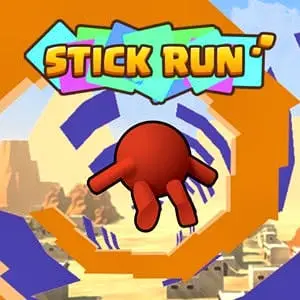
Stick Run
Stick Run is a classic-style multiplayer stick figure game built around fast movement, jumping, obstacle avoidance, and friendly competition. You control a stick character as you run through…
 Works on Desktop & Mobile
Tested By XoomGames
- Test date
- August 20, 2026
- Tested on
- Chrome 150
- Device
- Desktop
- Operating system
- macOS and Windows
- Game loaded successfully
- Yes
- Fullscreen works
- Yes
- Sound works
- Yes
- Save progress
- Local browser storage
- Mobile compatibility
- Partially tested
- Keyboard controls
- Working
- Controller support
- Not detected
- Average loading time
- 4.2 seconds
- Known issues
- Minor delay after entering fullscreen
Stick Run not loading?
- Refresh the page.
- Disable restrictive content blockers temporarily.
- Confirm JavaScript and WebGL are enabled.
- Clear the browser cache.
- Try another modern browser.
- Close unnecessary tabs.
- Switch off VPN if the game server is blocked.
- Use the Report a Problem button if the issue continues.
Related Games

Continue Playing
Daily Challenge

Play 6 minutes today in Stick Run.
Leaderboard
- 1Community rating4.5 ★
- 2Player likes543
- 3Total votes625
- 4Your local progress0%
Your progress is saved locally in this browser. No account required.
 Your progress is saved locally in this browser. No account required.
How to Play
Begin Stick Run by paying attention to the playable area rather than immediately trying to outrun everyone. The important information is in front of your stick character: approaching obstacles, open space, and the distance available for a jump. Your first goal is simple—keep moving and avoid the hazards that break your flow.
- Start the game and watch the route ahead for the first obstacle.
- Move with a steady rhythm instead of making unnecessary inputs.
- Jump when an obstacle requires clearance, aiming for a deliberate and well-timed action.
- After landing, regain your rhythm quickly and scan ahead again.
- When other players are present, stay aware of the competition while keeping obstacle avoidance as your priority.
- Repeat runs to improve your judgment of spacing, pace, and safe jump timing.
Do not treat every jump as an emergency response. A good jump is prepared before the obstacle is directly underneath your character. Looking ahead gives you more time to decide, and that extra time reduces rushed mistakes. This is especially valuable in multiplayer moments, where the urge to pass another player can make an otherwise simple obstacle feel harder.
Character customization and trading are part of Stick Run’s broader social identity. If these options are available in the version you are playing, explore them after you understand the core running action. Personalizing a character can make your presence easier to recognize during multiplayer play, but it does not replace the need for disciplined movement. The most reliable route to better results is still awareness, timing, and calm recovery after every jump.
On mobile: use on-screen buttons or gestures when the game supports them.
 On mobile: use on-screen buttons or gestures when the game supports them.
Controls
- ↑Jump
- ← →Move Left / Right
- ↓Crouch
- W / ↑Climb / Interact
- S / ↓Drop / Slide
Stick Run is designed around straightforward running and jumping actions. Because the exact control display can depend on the playable version loaded on the page, check the in-game prompt or opening screen before beginning. Use the control information provided by the game itself as the final guide for your device and session.
Regardless of the displayed input method, the important skill is not pressing more controls—it is using the jump action at the correct time. Keep your attention on obstacle distance, your character’s current movement, and the space needed to land safely.
- Movement: Follow the input guidance shown in the game.
- Jumping: Use the displayed jump input to clear obstacles.
- Timing: Act before a hazard is too close, not after it reaches your character.
- Focus: Avoid repeated panic inputs when one measured jump is enough.
If a run goes wrong, use the next attempt to identify whether the issue was late timing, an early jump, or a loss of attention to the route ahead.
Game Progress & Challenges
Why Play This Game?
 Instant PlayPlay instantly in your browser.
 Free to PlayNo hidden fees.
About "Stick Run"
Stick Run is a classic-style multiplayer stick figure game built around fast movement, jumping, obstacle avoidance, and friendly competition. You control a stick character as you run through active challenges where timing matters more than complicated commands. The central appeal is immediate: get moving, react to the path ahead, avoid trouble, and try to stay ahead of other players.
Its simple visual identity makes the action easy to read, while the multiplayer focus gives each run a social edge. Instead of treating every obstacle as a routine task, you must stay alert to changing positions, nearby players, and the pressure of keeping your momentum. The game is well suited to players who enjoy quick arcade action with a familiar stickman look.
Stick Run is also associated with character customization and trading, adding a personal, community-oriented layer beyond the running itself. That combination of movement, obstacles, friends, and player expression helps it stand apart from a basic solo endless runner. Start with the fundamentals, learn when to jump, and make cleaner decisions as the pace of play demands more from your reactions.
Gameplay
The main gameplay loop in Stick Run centers on moving forward efficiently while responding to obstacles. Your stick figure needs to run with purpose, jump at the right moment, and avoid hazards that can interrupt progress. This makes the game easy to understand from the first attempt, but difficult to play carelessly. A late reaction can be as costly as an early jump, so each section asks you to judge distance and timing.
Multiplayer play changes the feel of a run. Other players are not merely background decoration; they create a competitive rhythm that encourages faster decisions and cleaner movement. Passing friends or keeping pace with them gives every successful jump more meaning. Rather than focusing only on a single score target, the experience can feel like an ongoing race to maintain control while the route becomes demanding.
Stick Run favors readable arcade decisions:
- Spot an obstacle before you reach it.
- Choose a jump moment instead of reacting at the last second.
- Keep your movement controlled after clearing a hazard.
- Use nearby players as a reminder to stay focused, not as a reason to rush blindly.
- Build consistency through repeated attempts and better route awareness.
The strongest play comes from balancing speed with accuracy. Moving aggressively may help you pass another player, but a poorly judged obstacle can end that advantage immediately. Players who recognize patterns, protect their momentum, and avoid panic inputs will get more from the game than those who simply try to go as fast as possible.
Platform
Stick Run is available to play through this XoomGames game page in a browser. That browser-first format is useful when you want a quick action game without treating setup as part of the challenge. Open the game, load the playable version, and focus on the run, jumps, obstacles, and multiplayer action.
The game’s compact stick figure presentation fits short play sessions especially well. You can return for another attempt when you want to improve your reactions, compete with friends, or spend time with a familiar arcade-style running game. As with many browser games, a stable connection and an up-to-date browser can help the game load and respond smoothly.
Stick Run’s appeal is not tied to a large download or a complicated installation process. Its value comes from direct access to active running gameplay and a social multiplayer premise. If you enjoy quick sessions that reward timing and awareness, it is a natural fit among browser games.
How to Play "Stick Run"
Begin Stick Run by paying attention to the playable area rather than immediately trying to outrun everyone. The important information is in front of your stick character: approaching obstacles, open space, and the distance available for a jump. Your first goal is simple—keep moving and avoid the hazards that break your flow.
- Start the game and watch the route ahead for the first obstacle.
- Move with a steady rhythm instead of making unnecessary inputs.
- Jump when an obstacle requires clearance, aiming for a deliberate and well-timed action.
- After landing, regain your rhythm quickly and scan ahead again.
- When other players are present, stay aware of the competition while keeping obstacle avoidance as your priority.
- Repeat runs to improve your judgment of spacing, pace, and safe jump timing.
Do not treat every jump as an emergency response. A good jump is prepared before the obstacle is directly underneath your character. Looking ahead gives you more time to decide, and that extra time reduces rushed mistakes. This is especially valuable in multiplayer moments, where the urge to pass another player can make an otherwise simple obstacle feel harder.
Character customization and trading are part of Stick Run’s broader social identity. If these options are available in the version you are playing, explore them after you understand the core running action. Personalizing a character can make your presence easier to recognize during multiplayer play, but it does not replace the need for disciplined movement. The most reliable route to better results is still awareness, timing, and calm recovery after every jump.
Controls
Stick Run is designed around straightforward running and jumping actions. Because the exact control display can depend on the playable version loaded on the page, check the in-game prompt or opening screen before beginning. Use the control information provided by the game itself as the final guide for your device and session.
Regardless of the displayed input method, the important skill is not pressing more controls—it is using the jump action at the correct time. Keep your attention on obstacle distance, your character’s current movement, and the space needed to land safely.
- Movement: Follow the input guidance shown in the game.
- Jumping: Use the displayed jump input to clear obstacles.
- Timing: Act before a hazard is too close, not after it reaches your character.
- Focus: Avoid repeated panic inputs when one measured jump is enough.
If a run goes wrong, use the next attempt to identify whether the issue was late timing, an early jump, or a loss of attention to the route ahead.
Can "Stick Run" Unblocked?
You can play Stick Run unblocked on XoomGames through your browser when access is permitted by your network, device, and local rules. The page is intended to provide a direct way to reach the game without needing to search across unrelated sites or install a separate program first.
For the best experience, open the game on a reliable connection, allow the page time to finish loading, and avoid keeping too many demanding browser tabs active at once. This can help the game respond more consistently during obstacle-heavy moments where timing is important.
Always follow the internet-use guidelines that apply where you are playing. Stick Run works best as a quick break or a focused arcade session: load the game, learn the obstacle rhythm, challenge friends when multiplayer activity is available, and return when you want to improve your running accuracy.
Tips for "Stick Run"
Success in Stick Run comes from repeatable habits rather than reckless speed. The game asks for quick reactions, but strong reactions are usually the result of looking ahead and staying composed. Use these practical ideas to make your runs cleaner and more consistent.
- Look beyond your character. Keep your eyes on the next obstacle rather than staring only at the stick figure. Early recognition gives you time to choose a proper jump point.
- Jump with a purpose. Do not use the jump action continuously. Wait until an obstacle calls for it, then commit to a deliberate input.
- Protect momentum. Clearing one hazard is not the end of the task. Reset your attention immediately after landing so the next obstacle does not catch you off guard.
- Learn from missed attempts. If you hit an obstacle, identify the reason. Were you late, early, distracted by another player, or trying to force too much speed?
- Stay calm around competitors. Multiplayer pressure can make players rush. Passing friends feels rewarding, but safe movement is usually more valuable than one impulsive attempt to overtake.
- Use short practice runs. A few focused attempts can teach timing more effectively than one frustrated marathon. Treat each run as feedback.
- Explore social options after practicing. Customization and trading can add personality to the experience, but mastering the route-reading basics should come first.
A useful mindset is to think one obstacle ahead. You do not need to predict everything at once; you only need enough awareness to avoid being surprised by the next immediate problem. Over time, that habit improves reaction speed naturally because your decisions begin earlier.
The most dependable players are not necessarily those who move with the most urgency. They are the players who recognize hazards, choose sensible jump timing, and recover their concentration after every close call. Keep the route readable, value controlled inputs, and let consistency create the competitive advantage.
Features "Stick Run"
Stick Run combines accessible stick figure action with a multiplayer-focused running experience. Its strongest features are built around direct arcade movement and the social motivation to keep improving alongside other players.
- Classic stick figure style: A clear visual format that keeps attention on running, jumping, and obstacles.
- Multiplayer gameplay: Play in a setting where friends and other players add competition to the run.
- Obstacle avoidance: React to hazards and use careful timing to keep your character moving.
- Jump-based action: Simple core movement that rewards precision and repeated practice.
- Competitive momentum: Try to pass friends while maintaining control through difficult moments.
- Character customization: Add a personal element to your stick character where the available game options allow it.
- Trading element: A community-oriented feature associated with the game’s broader social experience.
- Browser access: Launch the game from the XoomGames page for a direct online play option.
The key information gain in Stick Run is that it is more than an obstacle runner. The running and jumping create the immediate challenge, while multiplayer interaction, passing friends, customization, and trading give the game a longer-lasting social identity. That matters for players looking for a stickman game with both quick action and a reason to return.
Its simplicity is a feature, not a limitation. You can understand the basic goal quickly, then spend your time refining the small decisions that make a real difference: when to jump, how to maintain awareness, and when to prioritize a safe route over a risky competitive move.
Best "Stick Run" Similar Games & Top Picks
- Red Ball 3: Play Red Ball 3 unblocked on XoomGames. Roll, bounce, collect stars, and reach each level flag in your browser.
- Ragdoll Arena: Play Ragdoll Arena unblocked on XoomGames. Fight through physics-driven 2D arenas with unpredictable ragdoll action in your browser.
- Rocket Bot Royale: Play Rocket Bot Royale unblocked on XoomGames. Rocket-jump, climb walls, collect coins, and outlast rivals in your browser.
- Super Smash Flash: Play Super Smash Flash online. Pick from 28 characters, battle opponents, and use smart knockback tactics in this retro action fighter.
- 20 Minutes Till Dawn: Play 20 Minutes Till Dawn online and survive relentless monster hordes with smart upgrades, weapons, movement, and roguelite builds.
FAQ - Stick Run
What is Stick Run?
Stick Run is a classic-style multiplayer stick figure running game. Players run, jump, avoid obstacles, and compete in an active social setting. The game is also associated with character customization and trading, giving it more community-focused elements than a basic solo runner.
Is Stick Run a multiplayer game?
Yes. Stick Run is described as a multiplayer game where players can run alongside and pass friends while dealing with obstacles. Multiplayer competition adds pressure and excitement because good timing matters both for avoiding hazards and for keeping pace with other players.
What do you do in Stick Run?
The core objective is to keep your stick character moving while avoiding obstacles. Jumping is a central action, and successful play depends on noticing hazards early, choosing an appropriate jump moment, and staying focused after each landing. Players can also engage with the game’s social side through its multiplayer setting.
How do I get better at Stick Run?
Focus on timing instead of rushing. Watch the path ahead, use jumps deliberately, and learn from every missed obstacle. It also helps to avoid being distracted by the urge to pass another player immediately. A controlled run with fewer mistakes is often more effective than a fast run filled with rushed decisions.
Does Stick Run have character customization?
Stick Run is associated with character customization. This gives players a way to personalize their stick figure as part of the game’s social experience. The exact customization choices available can vary with the playable version, so check the game’s in-game options for the current selection.
Can players trade in Stick Run?
Trading is included in descriptions of Stick Run’s social features. Specific trading options and available items are not detailed here, so use the game’s own menus or prompts to see what is currently available when you play. The feature supports the game’s community-oriented identity alongside running and competition.
Can I play Stick Run in a browser?
Yes. Stick Run can be accessed from this XoomGames page in your browser. A stable connection and a current browser can help provide a smoother experience, particularly when quick reactions are needed for jumps and obstacle avoidance.
Are the controls difficult to learn?
The game is built around simple running and jumping actions, so the basic idea is easy to learn. The challenge comes from using the jump action at the right time. Check the on-screen game instructions for the exact controls in the version you load, then practice until obstacle timing feels natural.
 Report a Problem
Comments About Stick Run