


Ships 3D
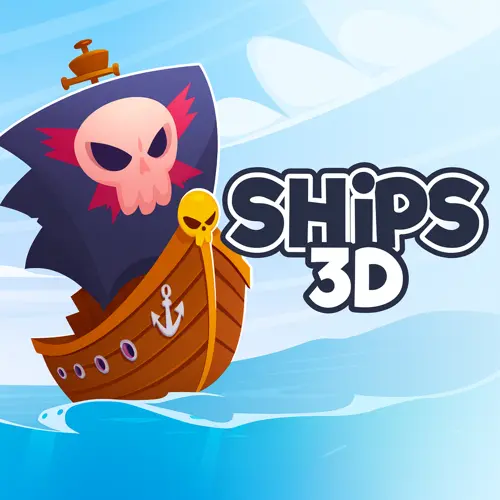
Ships 3D is an online 3D naval warfare game built around multiplayer battles on open water. Instead of controlling a character on land, players take command of a…
 Works on Desktop & Mobile
Tested By XoomGames
- Test date
- August 20, 2026
- Tested on
- Chrome 150
- Device
- Desktop
- Operating system
- macOS and Windows
- Game loaded successfully
- Yes
- Fullscreen works
- Yes
- Sound works
- Yes
- Save progress
- Local browser storage
- Mobile compatibility
- Partially tested
- Keyboard controls
- Working
- Controller support
- Not detected
- Average loading time
- 4.2 seconds
- Known issues
- Minor delay after entering fullscreen
Ships 3D not loading?
- Refresh the page.
- Disable restrictive content blockers temporarily.
- Confirm JavaScript and WebGL are enabled.
- Clear the browser cache.
- Try another modern browser.
- Close unnecessary tabs.
- Switch off VPN if the game server is blocked.
- Use the Report a Problem button if the issue continues.
Related Games
Continue Playing
Daily Challenge

Play 4 minutes today in Ships 3D.
Leaderboard
- 1Community rating4.6 ★
- 2Player likes918
- 3Total votes1.0K
- 4Your local progress0%
Your progress is saved locally in this browser. No account required.
 Your progress is saved locally in this browser. No account required.
How to Play
Start Ships 3D by opening the game and waiting for its initial screen to load. A username entry prompt is associated with the game, so enter a name and continue when the page asks you to proceed. Once you reach the battle, take a moment to observe the immediate area before rushing forward.
Your central task is to operate among other ships during a naval confrontation. Look for vessels close to your position, identify where they are traveling, and avoid treating every nearby ship as harmless. In a busy encounter, another player can cross your route quickly, and a poorly timed advance can leave your own vessel exposed to a collision.
- Enter a username if the game presents the name field.
- Proceed into the online battle area.
- Check the water around your ship before making an aggressive move.
- Move with a clear purpose instead of drifting into crowded traffic.
- Pressure opposing vessels when the approach looks favorable.
- Change your plan when several ships gather in one dangerous zone.
New players should begin with survival and positioning. Learn how quickly the scene becomes crowded, notice which approaches lead to sudden impacts, and avoid committing to a straight path without checking what is ahead. Once you can consistently keep track of nearby opponents, you can take more proactive risks.
The game’s challenge comes from the combination of movement and multiplayer unpredictability. You may spot one opponent, only for another ship to change the situation a moment later. Playing well means reassessing the water around you repeatedly and treating every close encounter as a decision rather than an accident.
On mobile: use on-screen buttons or gestures when the game supports them.
 On mobile: use on-screen buttons or gestures when the game supports them.
Controls
- ↑Jump
- ← →Move Left / Right
- ↓Crouch
- W / ↑Climb / Interact
- S / ↓Drop / Slide
The available research confirms that Ships 3D lets players drive a ship forward and take part in online naval clashes, but it does not reliably document a complete key-by-key control layout. For accuracy, use the control prompts displayed by the game itself when it loads rather than relying on an unsupported control list.
Before entering a crowded battle, test the game’s movement response in a clearer area of water. Confirm how your current device and browser handle forward travel, direction changes, and any action prompts shown on screen. This brief check is useful because ship movement affects every collision and close encounter.
- Enter your username when the opening prompt appears.
- Read any in-game instructions before moving into a busy fight.
- Test movement where nearby ships are less likely to interrupt you.
- Keep the game window active so your inputs go to Ships 3D.
On-screen instructions are the best reference if the game changes its interface or uses a different input method on your device.
Game Progress & Challenges
Why Play This Game?
 Instant PlayPlay instantly in your browser.
 Free to PlayNo hidden fees.
About "Ships 3D"
Ships 3D is an online 3D naval warfare game built around multiplayer battles on open water. Instead of controlling a character on land, players take command of a ship and enter crowded sea encounters where other vessels create constant pressure, collisions, and opportunities to disrupt opponents.
The core appeal is its direct, chaotic ship-versus-ship action. You are not simply watching a fleet battle from above: your vessel is part of the conflict, and its position matters whenever nearby ships cross your path. The game is commonly described as a frantic naval experience because multiple players can share the same battle space, making each encounter less predictable than a scripted single-player mission.
A username prompt is associated with the game flow, helping identify players before they proceed into the action. From there, the focus is on joining the sea battle, moving your ship with purpose, and surviving the disorder created by competing vessels. Ships 3D is a strong fit for players looking for an arcade-style naval game with multiplayer energy rather than a slow historical simulation.
Its simple premise gives every match a clear objective: use your ship intelligently in a dangerous shared arena and avoid becoming an easy target during the next clash.
Gameplay
Ships 3D centers on naval conflict between players controlling vessels in the same online battle. The most important gameplay idea is spatial awareness. Water may appear open, but a multiplayer sea battle quickly becomes crowded when several ships approach the same area, attempt to pass one another, or collide during an attack.
Movement is not only a way to travel. It is part of the combat decision. Driving forward can place your ship in a stronger position, but it can also carry you into a damaging encounter if another vessel is approaching from the side or directly ahead. Competitor descriptions emphasize ship clashes and the ability to puncture or destroy opposing boats, so close-range contact is a meaningful risk as well as an aggressive option.
Because the action involves many other players, no route stays safe forever. A clear stretch of water can change immediately when another ship enters your line, turns across your course, or pushes a collision toward you. Successful players read the local situation rather than committing blindly to one direction.
- Watch nearby vessels: Their direction is often more important than distant action.
- Choose your approach: A head-on rush can create danger for both ships.
- Use open water: Space gives you more time to react to a changing fight.
- Expect interruptions: Multiplayer battles are messy, and other players can alter an encounter at any moment.
This makes Ships 3D feel closer to an arcade sea brawl than a carefully paced naval strategy game. The battle rewards players who can stay alert, adjust their course, and recognize when a collision is worth the risk.
Platform
Ships 3D is presented as an online game, meaning its main experience is accessed through a game page rather than through a traditional boxed release. The web-based format suits its multiplayer naval premise: players can enter a session, identify themselves with a username when prompted, and move into a shared sea battle.
For the smoothest experience, use an up-to-date browser and allow the game page to finish loading before trying to enter the action. A stable internet connection is especially useful because the game involves other players and active ship encounters. If the page does not respond as expected, refreshing the game page and checking that the browser has not blocked page functionality are sensible first steps.
Players exploring more web-based entertainment can also browse browser games on XoomGames. Ships 3D is best approached as a quick online naval action game: open the page, enter the game flow, and focus on the battle rather than on lengthy setup.
How to Play "Ships 3D"
Start Ships 3D by opening the game and waiting for its initial screen to load. A username entry prompt is associated with the game, so enter a name and continue when the page asks you to proceed. Once you reach the battle, take a moment to observe the immediate area before rushing forward.
Your central task is to operate among other ships during a naval confrontation. Look for vessels close to your position, identify where they are traveling, and avoid treating every nearby ship as harmless. In a busy encounter, another player can cross your route quickly, and a poorly timed advance can leave your own vessel exposed to a collision.
- Enter a username if the game presents the name field.
- Proceed into the online battle area.
- Check the water around your ship before making an aggressive move.
- Move with a clear purpose instead of drifting into crowded traffic.
- Pressure opposing vessels when the approach looks favorable.
- Change your plan when several ships gather in one dangerous zone.
New players should begin with survival and positioning. Learn how quickly the scene becomes crowded, notice which approaches lead to sudden impacts, and avoid committing to a straight path without checking what is ahead. Once you can consistently keep track of nearby opponents, you can take more proactive risks.
The game’s challenge comes from the combination of movement and multiplayer unpredictability. You may spot one opponent, only for another ship to change the situation a moment later. Playing well means reassessing the water around you repeatedly and treating every close encounter as a decision rather than an accident.
Controls
The available research confirms that Ships 3D lets players drive a ship forward and take part in online naval clashes, but it does not reliably document a complete key-by-key control layout. For accuracy, use the control prompts displayed by the game itself when it loads rather than relying on an unsupported control list.
Before entering a crowded battle, test the game’s movement response in a clearer area of water. Confirm how your current device and browser handle forward travel, direction changes, and any action prompts shown on screen. This brief check is useful because ship movement affects every collision and close encounter.
- Enter your username when the opening prompt appears.
- Read any in-game instructions before moving into a busy fight.
- Test movement where nearby ships are less likely to interrupt you.
- Keep the game window active so your inputs go to Ships 3D.
On-screen instructions are the best reference if the game changes its interface or uses a different input method on your device.
Can "Ships 3D" Unblocked?
Ships 3D is an online game, so access depends on whether the game page can load in your current browser and network environment. On a normal unrestricted connection, open the page, complete the username step if it appears, and continue into the naval action.
Some school, workplace, library, or managed networks restrict gaming pages, multiplayer features, or browser content. Those restrictions are set by the network administrator, not by the game itself. If Ships 3D does not load on such a connection, do not attempt to bypass filters or security policies. Instead, use an approved personal connection or play at a time and place where online games are permitted.
If access is allowed but the game does not start, refresh the page after confirming that your browser is current and that normal page functionality is enabled. Since the game involves other players, a reliable connection can also make it easier to enter and remain in an active sea battle.
The practical answer is simple: Ships 3D can be played through its online game page when your browser and network permit access.
Tips for "Ships 3D"
The best Ships 3D players do not treat every encounter as a full-speed charge. The game’s sea battles can become chaotic because several players may converge in the same space. A short moment spent reading the water can prevent a collision that would otherwise end your advantage.
Keep your attention local. Distant ships matter less than the vessels that can cross your route within the next few seconds. Before driving forward, look ahead and to either side. If several ships are moving toward one zone, assume their paths may overlap and leave room for an unexpected turn.
Do not confuse speed with control. Moving forward is useful, but an aggressive push without a safe line can put you in the middle of a smash-up. Choose moments when the water ahead is clearer or when an opponent is already committed to a vulnerable approach.
Use collisions deliberately. Ships 3D is described as a game where ships can puncture and destroy opposing boats. That makes contact a tactical possibility, not just a mistake. However, a collision can also expose your own ship. Favor situations in which you have space to continue moving after the impact rather than becoming trapped among several vessels.
- Scan before advancing: Check for ships crossing your direction.
- Avoid crowded funnels: Multiple vessels in a small area create unpredictable impacts.
- Reset your position: Move away from a messy clash when you no longer have a clear route.
- Choose one immediate priority: Either escape traffic, pressure a nearby opponent, or find safer water.
- Learn from each loss: Notice whether it came from a direct approach, poor spacing, or an unseen third ship.
The key information gain is that success is less about permanent aggression and more about traffic management. In a multiplayer naval brawl, maintaining a usable route is often what gives you the next chance to attack.
Features "Ships 3D"
Ships 3D combines a recognizable naval setting with accessible online arcade action. Its identity comes from placing player-controlled ships into a shared conflict where vessel movement, close encounters, and sudden collisions shape the experience.
- Online naval warfare: The game is built around battles at sea rather than land-based combat.
- Multiplayer action: Other players are part of the encounter, creating a less predictable battle environment.
- 3D ship setting: The game presents its action through a three-dimensional naval theme.
- Chaotic ship clashes: Competitor descriptions emphasize frantic battles and smash-ups involving vessels.
- Forward-driving gameplay: Moving your ship forward is a key part of navigating the fight.
- Collision-based danger: Ships can be punctured or destroyed during hostile encounters.
- Username entry: A name prompt provides a simple way to identify yourself before continuing.
These features give the game a distinct rhythm. Rather than relying on long menus or a large amount of preparation, Ships 3D moves quickly toward the main attraction: a live-feeling sea confrontation where ships can become threats simply by entering your path.
The strongest player benefit is immediate tactical feedback. Every choice of route changes what might happen next. Clear water offers flexibility, crowded water raises the stakes, and an opponent’s movement can turn a routine advance into a destructive clash. That balance makes the game approachable for quick sessions while leaving room to improve through better awareness and timing.
Ships 3D is especially suitable for players who enjoy multiplayer browser action, naval themes, and games where movement decisions matter as much as the decision to engage.
Best "Ships 3D" Similar Games & Top Picks
- Openguessr Free Geoguessr: Play Openguessr Free Geoguessr unblocked on XoomGames. Guess worldwide locations and test your geography knowledge in your browser.
- Crazy Roll 3D: Play Crazy Roll 3D unblocked on XoomGames. Guide a fast rolling ball through 3D slopes, ramps, obstacles, and diamonds in your browser.
- Backgammon Online: Play Backgammon Online unblocked on XoomGames. Roll dice, plan smart moves, and race your checkers home in your browser.
- Mr Flip: Play Mr Flip unblocked on XoomGames. Time each physics-based flip and aim for clean target-zone landings in your browser.
- Fish It Online: Play Fish It Online unblocked on XoomGames. Cast your line, wait for bites, and collect rare fish in your browser.
FAQ - Ships 3D
What is Ships 3D?
Ships 3D is an online 3D naval warfare game focused on multiplayer battles at sea. Players control ships in chaotic encounters with other vessels, where movement, positioning, collisions, and pressure from nearby opponents shape the action.
Is Ships 3D multiplayer?
Yes. The game is described as an online multiplayer ship battle experience. Its main appeal comes from sharing the sea with other players, so encounters can change quickly as different vessels move into the same area.
Do I need to enter a username?
A username entry prompt is associated with the game’s opening flow. When the prompt appears, enter a username and continue. The name helps identify you as you move into the online game experience.
What do you do in Ships 3D?
You take part in naval battles by moving your ship through a shared sea area and dealing with opposing vessels. Competitor information highlights driving forward, ship clashes, and the possibility of puncturing or destroying other boats. Staying aware of nearby traffic is an important part of playing effectively.
Can ships collide in Ships 3D?
Yes. Ship collisions and chaotic smash-ups are a prominent part of how the game is described. Close contact can be dangerous, so avoid rushing into crowded areas without checking the routes of nearby vessels. At the same time, collisions can be part of an aggressive approach when the situation is favorable.
What are the controls for Ships 3D?
The provided game research does not confirm a full, reliable list of keyboard or mouse bindings. Use the instructions shown on the game screen after it loads, especially before entering a busy battle. Testing the movement response in open water is a sensible way to become comfortable with the current control setup.
Can I play Ships 3D in a browser?
Ships 3D is presented as an online game accessed through a game page. If your browser and network allow the page to load, you can follow the on-page flow, enter a username when requested, and proceed toward the naval battle.
Why is Ships 3D difficult at first?
The challenge comes from multiplayer unpredictability. You may be watching one opponent when another vessel crosses your route or joins the clash. New players improve by slowing down their decisions, watching nearby ships, leaving room to change direction, and avoiding unnecessary traffic jams on the water.
More Games Like This
 Openguessr Free Geoguessr
Arcade ★ 4.5
Openguessr Free Geoguessr
Arcade ★ 4.5
 Crazy Roll 3D
Arcade ★ 4.6
Crazy Roll 3D
Arcade ★ 4.6
 Backgammon Online
Arcade ★ 4.7
Backgammon Online
Arcade ★ 4.7
 Mr Flip
Arcade ★ 4.7
Mr Flip
Arcade ★ 4.7
 Fish It Online
Arcade ★ 4.7
Fish It Online
Arcade ★ 4.7
 Wacky Nursery 2
Arcade ★ 4.3
Wacky Nursery 2
Arcade ★ 4.3
 Osu Game
Arcade ★ 4.7
Osu Game
Arcade ★ 4.7
 Tube Fall
Arcade ★ 4.6
Tube Fall
Arcade ★ 4.6
 Cowboy Safari
Arcade ★ 4.6
Cowboy Safari
Arcade ★ 4.6
 Bucket Smash
Arcade ★ 4.5
Bucket Smash
Arcade ★ 4.5
 Design the Next Iphone
Arcade ★ 4.6
Design the Next Iphone
Arcade ★ 4.6
 Flipping Master
Arcade ★ 4.7
Flipping Master
Arcade ★ 4.7
 Human Expenditure Program
Arcade ★ 4.5
Human Expenditure Program
Arcade ★ 4.5
 Bloons Tower Defense 4
Arcade ★ 4.6
Bloons Tower Defense 4
Arcade ★ 4.6
 Pac-man
Arcade ★ 4.6
Pac-man
Arcade ★ 4.6
 Orbit Kick
Arcade ★ 4.7
Orbit Kick
Arcade ★ 4.7
 Bouncemasters
Arcade ★ 4.4
Bouncemasters
Arcade ★ 4.4
 Ballistic Chickens
Arcade ★ 4.8
Ballistic Chickens
Arcade ★ 4.8
 Report a Problem
Comments About Ships 3D