


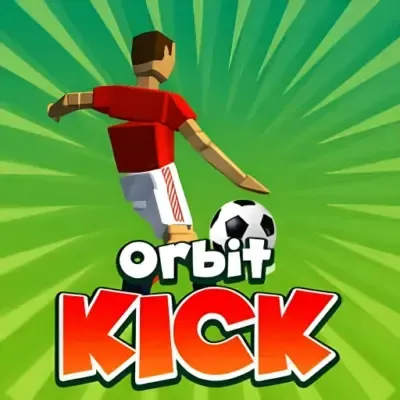
Orbit Kick
Orbit Kick is a casual arcade soccer game built around one satisfying objective: kick the ball as far as possible. Rather than managing a full football match, defending…
 Works on Desktop & Mobile
Tested By XoomGames
- Test date
- August 21, 2026
- Tested on
- Chrome 150
- Device
- Desktop
- Operating system
- macOS and Windows
- Game loaded successfully
- Yes
- Fullscreen works
- Yes
- Sound works
- Yes
- Save progress
- Local browser storage
- Mobile compatibility
- Partially tested
- Keyboard controls
- Working
- Controller support
- Not detected
- Average loading time
- 4.2 seconds
- Known issues
- Minor delay after entering fullscreen
Orbit Kick not loading?
- Refresh the page.
- Disable restrictive content blockers temporarily.
- Confirm JavaScript and WebGL are enabled.
- Clear the browser cache.
- Try another modern browser.
- Close unnecessary tabs.
- Switch off VPN if the game server is blocked.
- Use the Report a Problem button if the issue continues.
Related Games
Continue Playing

Daily Challenge

Play 7 minutes today in Orbit Kick.
Leaderboard
- 1Community rating4.7 ★
- 2Player likes1.1K
- 3Total votes1.2K
- 4Your local progress0%
Your progress is saved locally in this browser. No account required.
 Your progress is saved locally in this browser. No account required.
How to Play
Start Orbit Kick with the right expectation: this is a soccer distance game, not a standard match simulator. Your aim is not to outscore another team. Your aim is to strike the ball at the best possible moment and launch it as far as you can.
- Watch the kick setup. Pay attention to the moment before you act. Since the game is based on timing, avoid clicking or tapping automatically.
- Click or tap to kick. Make your single input when you believe the timing is strongest. The quality of this moment determines the launch.
- Track the distance. Let the attempt play out and use the result as feedback. A shorter run is useful information for your next timing decision.
- Earn coins. Successful distance attempts contribute to the game’s coin-based progression.
- Choose upgrades. Spend earned coins on the available kicking upgrades to improve your chances on later launches.
- Repeat with a purpose. Try to beat your previous distance, earn enough coins for another upgrade, or simply improve the consistency of your kick timing.
The best way to learn is through controlled repetition. Use your first few attempts to understand the timing window instead of expecting a maximum-distance kick immediately. Once the launch rhythm feels familiar, focus on making each attempt intentional. Orbit Kick rewards patience more than frantic input: one carefully chosen click or tap is more valuable than treating the game like a button-mashing challenge.
As your upgrades improve, keep practicing timing rather than relying only on progression. The coin and upgrade system supports longer-distance goals, but the kick still begins with player judgment. A stronger setup plus better timing creates the most satisfying path toward a new personal best.
On mobile: use on-screen buttons or gestures when the game supports them.
 On mobile: use on-screen buttons or gestures when the game supports them.
Controls
- ↑Jump
- ← →Move Left / Right
- ↓Crouch
- W / ↑Climb / Interact
- S / ↓Drop / Slide
Orbit Kick uses a deliberately minimal control scheme. The core action is a single click or tap, with timing doing the work that a larger control layout would handle in other soccer games.
| Input | Action |
|---|---|
| Click | Kick the ball |
| Tap | Kick the ball |
Because the game is one-button based, focus on when you input rather than on combining commands. Wait for the kick moment, then commit to one deliberate click or tap. Repeated or rushed inputs do not replace accurate timing.
This accessible setup is useful for players who want immediate arcade action. You can spend your attention on launch timing, distance results, coins, and upgrades instead of learning a complex control map. The simplicity also makes it easy to restart mentally after an imperfect run: assess the timing, adjust your next attempt, and kick again.
Game Progress & Challenges
Why Play This Game?
 Instant PlayPlay instantly in your browser.
 Free to PlayNo hidden fees.
About "Orbit Kick"
Orbit Kick is a casual arcade soccer game built around one satisfying objective: kick the ball as far as possible. Rather than managing a full football match, defending a goal, or assembling a team, you focus on the instant that matters most—the kick. A well-timed click or tap launches the ball forward, beginning a distance run where every extra stretch of travel feels valuable.
The game combines simple one-button input with an upgrade-driven progression loop. Strong launches help you travel farther, collect coins, and work toward better kicking potential on later attempts. That makes each round short and easy to understand while still giving you a reason to try again. You are not just looking for a clean hit; you are trying to turn good timing into a longer run and a more rewarding result.
Orbit Kick fits players who enjoy quick arcade challenges with clear feedback. Its soccer theme gives the action an immediately recognizable goal, while the distance format changes the usual sports-game expectation. The important skill is not passing or scoring in a match. It is reading the moment, committing to the kick, and steadily improving the distance you can achieve.
Gameplay
Orbit Kick centers on a repeated launch-and-improve loop. Begin an attempt, watch for the right moment, and click or tap to strike the soccer ball. The timing of that single action is the heart of the game. A precise kick is the starting point for a long-distance run, while a poorly timed attempt gives you less momentum to build on.
After the ball is launched, the goal is to send it as far as possible. Distance is the key measure of progress, so the game rewards players who refine their timing over multiple tries. The format is deliberately direct: there is no need to learn a long move list or control an entire squad. Instead, the challenge comes from making one meaningful input count.
Coins add progression to the arcade action. Longer and more successful runs help you earn currency that can be used for upgrades. Those upgrades are important because they connect individual attempts into a larger goal. Even if a run falls short of your best distance, it can still contribute coins toward improving your future kicks.
This structure gives Orbit Kick two layers of play. In the moment, it is a timing test with a simple soccer-ball launch. Over time, it is a distance challenge where coins and upgrades encourage continued improvement. Players can chase a personal best, make progress toward the next upgrade, or simply enjoy the quick rhythm of lining up another powerful kick.
- Time one click or tap to kick the ball.
- Launch the ball across the course for maximum distance.
- Collect coins through successful runs.
- Use upgrades to strengthen future attempts.
Platform
Orbit Kick is presented as a browser arcade game on XoomGames, making it a practical choice when you want a quick soccer-themed challenge without the structure of a long sports match. The design suits short play sessions because its core objective is clear from the first attempt: time a kick and see how far the ball can travel.
The one-button format also makes the game approachable across common browser play styles. The research-supported input is click or tap, so the essential action stays the same whether you are using a mouse or a touch-friendly device. You do not need to memorize separate commands for passing, tackling, sprinting, or team management.
For players browsing a larger selection, XoomGames also offers online games with different arcade formats. Orbit Kick stands out within that broader browser-game setting because it concentrates its challenge into timing, distance, coins, and upgrade progress rather than a conventional soccer fixture.
How to Play "Orbit Kick"
Start Orbit Kick with the right expectation: this is a soccer distance game, not a standard match simulator. Your aim is not to outscore another team. Your aim is to strike the ball at the best possible moment and launch it as far as you can.
- Watch the kick setup. Pay attention to the moment before you act. Since the game is based on timing, avoid clicking or tapping automatically.
- Click or tap to kick. Make your single input when you believe the timing is strongest. The quality of this moment determines the launch.
- Track the distance. Let the attempt play out and use the result as feedback. A shorter run is useful information for your next timing decision.
- Earn coins. Successful distance attempts contribute to the game’s coin-based progression.
- Choose upgrades. Spend earned coins on the available kicking upgrades to improve your chances on later launches.
- Repeat with a purpose. Try to beat your previous distance, earn enough coins for another upgrade, or simply improve the consistency of your kick timing.
The best way to learn is through controlled repetition. Use your first few attempts to understand the timing window instead of expecting a maximum-distance kick immediately. Once the launch rhythm feels familiar, focus on making each attempt intentional. Orbit Kick rewards patience more than frantic input: one carefully chosen click or tap is more valuable than treating the game like a button-mashing challenge.
As your upgrades improve, keep practicing timing rather than relying only on progression. The coin and upgrade system supports longer-distance goals, but the kick still begins with player judgment. A stronger setup plus better timing creates the most satisfying path toward a new personal best.
Controls
Orbit Kick uses a deliberately minimal control scheme. The core action is a single click or tap, with timing doing the work that a larger control layout would handle in other soccer games.
| Input | Action |
|---|---|
| Click | Kick the ball |
| Tap | Kick the ball |
Because the game is one-button based, focus on when you input rather than on combining commands. Wait for the kick moment, then commit to one deliberate click or tap. Repeated or rushed inputs do not replace accurate timing.
This accessible setup is useful for players who want immediate arcade action. You can spend your attention on launch timing, distance results, coins, and upgrades instead of learning a complex control map. The simplicity also makes it easy to restart mentally after an imperfect run: assess the timing, adjust your next attempt, and kick again.
Can "Orbit Kick" Unblocked?
Players looking for Orbit Kick unblocked usually want a straightforward way to access the game in a browser during a break or from a shared device. On XoomGames, the game is presented for browser play, with its simple click-or-tap design suited to quick arcade sessions.
Access can still depend on the network, browser, or device you are using. School, workplace, library, and public Wi-Fi networks may apply their own content restrictions, and those rules are outside the game itself. If a page does not load as expected, use a permitted connection or check the network’s access policy rather than attempting to bypass restrictions.
Once the game is available, there is little setup to learn. Orbit Kick’s main challenge is timing a soccer-ball launch, collecting coins from your runs, and using upgrades to pursue greater distance. That makes it a convenient choice when you want a focused game loop instead of a lengthy match or a complicated sports simulation.
Tips for "Orbit Kick"
Prioritize timing before upgrades. Coins and upgrades support progression, but the launch begins with one click or tap. Before worrying about maximum distance, spend a few attempts learning the rhythm of the kick. Consistent timing gives you a stronger foundation for every later improvement.
Do not rush the input. Orbit Kick is not about pressing repeatedly. The useful decision is choosing the right instant to act. If an attempt is weak, resist the urge to blame the whole run immediately. Think about whether you acted early, late, or at the moment that felt most controlled, then adjust on the next launch.
Treat distance as feedback. Every attempt provides a simple result: how far the ball traveled. Use that result to compare your timing choices. When a kick reaches farther than usual, remember the rhythm and try to reproduce it. When it falls short, make a small adjustment rather than changing your approach wildly.
Keep coin progress in perspective. A run does not need to be your record to matter. Coins move you toward upgrades, so steady play can be productive even while you are still mastering timing. This helps turn short sessions into meaningful progress.
Upgrade with a clear goal. When upgrades are available, use them as part of a longer-distance plan. The point is not simply to spend coins; it is to improve your ability to make later kicks more rewarding. After upgrading, return to the same disciplined timing habits so you can see how the added progress affects your runs.
Set small targets. Instead of demanding a huge leap every time, try to beat your previous distance by a manageable amount or earn enough coins for the next upgrade. Small goals keep the one-button format engaging because every clean launch has a purpose.
Enjoy the arcade loop. The game is strongest when you let its simple structure work: kick, travel, collect, improve, and try again. A calm, repeatable approach is more useful than chasing a perfect attempt from the first click.
Features "Orbit Kick"
Orbit Kick takes familiar soccer imagery and turns it into a focused arcade distance challenge. Its strongest feature is clarity: you know what you are trying to do immediately. Time a kick, launch the ball, and push for maximum distance.
- One-button soccer action: The essential control is a click or tap, keeping the game easy to begin.
- Timing-based challenge: Your launch depends on choosing the right moment, giving each attempt a skill element.
- Distance-focused objective: The game measures success through how far you can send the ball rather than match goals or league results.
- Coin collection: Successful runs feed into a currency-based progression loop.
- Upgrade progression: Coins can be used for upgrades that support better kicking potential on future attempts.
- Short replayable runs: The direct launch format makes it natural to try again after each result.
- Accessible arcade structure: The simple input lets new players understand the premise quickly while leaving room to improve timing.
The combination of timing and upgrades is what gives the game staying power. If Orbit Kick were only a single kick, the experience would end with the first result. Coins and upgrades create a reason to continue, while the distance goal gives you a concrete benchmark to chase. You can approach a session as a quick test of timing or as a longer effort to improve your launch capability.
Another useful feature is the game’s narrow focus. Many sports games ask players to learn several systems at once, but Orbit Kick concentrates attention on a single moment of contact. That specialization makes the feedback easy to read: stronger timing aims for a stronger launch, and better runs help support upgrade progress.
Best "Orbit Kick" Similar Games & Top Picks
- Openguessr Free Geoguessr: Play Openguessr Free Geoguessr unblocked on XoomGames. Guess worldwide locations and test your geography knowledge in your browser.
- Crazy Roll 3D: Play Crazy Roll 3D unblocked on XoomGames. Guide a fast rolling ball through 3D slopes, ramps, obstacles, and diamonds in your browser.
- Backgammon Online: Play Backgammon Online unblocked on XoomGames. Roll dice, plan smart moves, and race your checkers home in your browser.
- Mr Flip: Play Mr Flip unblocked on XoomGames. Time each physics-based flip and aim for clean target-zone landings in your browser.
- Fish It Online: Play Fish It Online unblocked on XoomGames. Cast your line, wait for bites, and collect rare fish in your browser.
FAQ - Orbit Kick
What is Orbit Kick?
Orbit Kick is a casual arcade soccer game where the main goal is to kick a soccer ball as far as possible. It is not centered on playing a traditional football match. Instead, players use timing to launch the ball, earn coins from their progress, and use upgrades to improve future attempts.
How do you play Orbit Kick?
You play by watching for the kick moment and using a click or tap to strike the ball. The better your timing, the better your chance of producing a powerful launch and reaching a greater distance. After a run, you can use the result to refine your timing and continue building coin progress.
What are the controls in Orbit Kick?
The game uses one-button input. Click to kick when playing with a mouse, or tap to kick on a touch-capable device. The important part is timing the input accurately rather than using multiple buttons or complicated combinations.
Is Orbit Kick a regular soccer match game?
No. Orbit Kick uses a soccer ball and kicking theme, but its objective is distance rather than winning a match. You are trying to launch the ball as far as possible, not manage a team, pass between players, defend, or score against an opponent in a standard fixture.
What do coins do in Orbit Kick?
Coins are part of the game’s progression system. They are earned through play and can be used for upgrades. The upgrades help support better kicking potential over time, giving players a reason to keep taking distance attempts beyond a single high score.
Does Orbit Kick have upgrades?
Yes. The game includes upgrades connected to its coin system. Earning coins and improving your kicking ability creates a progression loop: take distance attempts, collect currency, upgrade, and return for stronger future launches.
What is the best way to get farther in Orbit Kick?
Focus first on timing. Since the kick is controlled with one click or tap, the moment you choose matters most. Take a few attempts to learn the rhythm, compare the distance results, and make small adjustments. Upgrades can help over time, but careful timing remains central to a successful launch.
Can I play Orbit Kick unblocked in a browser?
Orbit Kick is available as a browser game on XoomGames. Whether it is accessible on a particular device or network can depend on local browser settings and network restrictions. If a school, workplace, or public connection blocks game pages, follow that network’s rules and use an allowed connection.
More Games Like This
 Openguessr Free Geoguessr
Arcade ★ 4.5
Openguessr Free Geoguessr
Arcade ★ 4.5
 Crazy Roll 3D
Arcade ★ 4.6
Crazy Roll 3D
Arcade ★ 4.6
 Backgammon Online
Arcade ★ 4.7
Backgammon Online
Arcade ★ 4.7
 Mr Flip
Arcade ★ 4.7
Mr Flip
Arcade ★ 4.7
 Fish It Online
Arcade ★ 4.7
Fish It Online
Arcade ★ 4.7
 Wacky Nursery 2
Arcade ★ 4.3
Wacky Nursery 2
Arcade ★ 4.3
 Osu Game
Arcade ★ 4.7
Osu Game
Arcade ★ 4.7
 Tube Fall
Arcade ★ 4.6
Tube Fall
Arcade ★ 4.6
 Cowboy Safari
Arcade ★ 4.6
Cowboy Safari
Arcade ★ 4.6
 Bucket Smash
Arcade ★ 4.5
Bucket Smash
Arcade ★ 4.5
 Design the Next Iphone
Arcade ★ 4.6
Design the Next Iphone
Arcade ★ 4.6
 Flipping Master
Arcade ★ 4.7
Flipping Master
Arcade ★ 4.7
 Human Expenditure Program
Arcade ★ 4.5
Human Expenditure Program
Arcade ★ 4.5
 Bloons Tower Defense 4
Arcade ★ 4.6
Bloons Tower Defense 4
Arcade ★ 4.6
 Pac-man
Arcade ★ 4.6
Pac-man
Arcade ★ 4.6
 Bouncemasters
Arcade ★ 4.4
Bouncemasters
Arcade ★ 4.4
 Ballistic Chickens
Arcade ★ 4.8
Ballistic Chickens
Arcade ★ 4.8
 Ships 3D
Arcade ★ 4.6
Ships 3D
Arcade ★ 4.6
 Report a Problem
Comments About Orbit Kick