


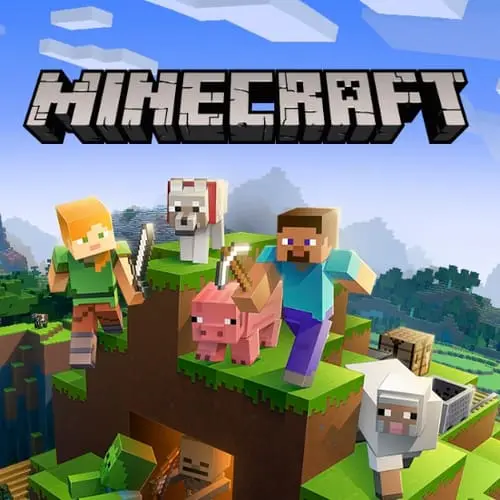
Minecraft Classic
Minecraft Classic is a retro sandbox building experience based on the early browser-era version of Minecraft. It focuses on the central idea that made the game memorable: entering…
 Works on Desktop & Mobile
Tested By XoomGames
- Test date
- August 20, 2026
- Tested on
- Chrome 150
- Device
- Desktop
- Operating system
- macOS and Windows
- Game loaded successfully
- Yes
- Fullscreen works
- Yes
- Sound works
- Yes
- Save progress
- Local browser storage
- Mobile compatibility
- Partially tested
- Keyboard controls
- Working
- Controller support
- Not detected
- Average loading time
- 4.2 seconds
- Known issues
- Minor delay after entering fullscreen
Minecraft Classic not loading?
- Refresh the page.
- Disable restrictive content blockers temporarily.
- Confirm JavaScript and WebGL are enabled.
- Clear the browser cache.
- Try another modern browser.
- Close unnecessary tabs.
- Switch off VPN if the game server is blocked.
- Use the Report a Problem button if the issue continues.
Continue Playing
Daily Challenge

Play 6 minutes today in Minecraft Classic.
Leaderboard
- 1Community rating4.6 ★
- 2Player likes1.1K
- 3Total votes1.2K
- 4Your local progress0%
Your progress is saved locally in this browser. No account required.
 Your progress is saved locally in this browser. No account required.
How to Play
Start by treating the world as an open building site. Before placing many blocks, look around and choose a spot that gives your project room to grow. A flat area is useful for a first house or a geometric build because it makes the outline easier to see. If you prefer a taller project, select a location where the base will remain visible as the structure rises.
- Decide on one clear first objective, such as a small shelter, a tower, a wall, or a simple pathway.
- Mark the footprint with a short row or rectangle of blocks before building upward.
- Select a block type that suits the part you are making, then place blocks one position at a time.
- Build the main shape first: floor, walls, supports, or a central column.
- Move around the structure and inspect it from more than one angle.
- Add details only after the overall form looks balanced and recognizable.
The important habit is to build in layers. A foundation gives the design a boundary. The next layer defines rooms, elevation, or the width of a path. Later layers can create a roofline, battlements, arches, or decorative repetition. Working from broad shapes to small accents prevents a project from becoming confusing halfway through.
Keep your first creation modest. A compact building teaches more about spacing and perspective than a huge unfinished plan. Once you understand how a block row reads in the 3D world, expand it into a connected village, a larger platform, or a landmark visible from across the area. Minecraft Classic rewards experimentation, so revising an idea is part of playing well.
On mobile: use on-screen buttons or gestures when the game supports them.
 On mobile: use on-screen buttons or gestures when the game supports them.
Controls
- ↑Jump
- ← →Move Left / Right
- ↓Crouch
- W / ↑Climb / Interact
- S / ↓Drop / Slide
Minecraft Classic requires a keyboard. That is the key control detail confirmed for this browser version, and it is worth checking before starting a session. Use a keyboard-ready device so you can interact with the game as intended and move through the retro 3D building environment comfortably.
Because the available source information does not provide a verified key-by-key command list, it is better not to rely on an unconfirmed control map. Check the game's visible in-game instructions when it loads, then test movement and block interaction in an open area before beginning a detailed build. This short setup step helps you learn how the current browser version responds on your device.
- Use a physical keyboard for the required input.
- Review any on-screen instructions shown by the game.
- Practice navigation away from your main build site.
- Confirm block selection and placement before committing to a large design.
Testing controls first is especially useful in a construction sandbox, where accurate positioning makes foundations, corners, and repeated patterns much easier to create.
Game Progress & Challenges
Why Play This Game?
 Instant PlayPlay instantly in your browser.
 Free to PlayNo hidden fees.
About "Minecraft Classic"
Minecraft Classic is a retro sandbox building experience based on the early browser-era version of Minecraft. It focuses on the central idea that made the game memorable: entering a blocky 3D world and using available blocks to shape it into something of your own. Rather than directing players through a fixed sequence of levels, this classic edition gives construction the main role.
The version is associated with Mojang's celebration of Minecraft's 10th anniversary and is described as being based on the browser-based alpha version of the game. That context matters for new players: this is a historical, lightweight take on the Minecraft idea, not a modern survival-mode adventure with every later system attached. Its appeal is the straightforward loop of looking around, selecting blocks, placing them, and watching an empty space become a house, tower, wall, path, or experimental creation.
For players searching for familiar browser games with open-ended creativity, the classic format is easy to understand. There is no required story route to follow. Decide what you want to make, establish a simple layout, and build at your own pace in a distinctive retro 3D setting.
Gameplay
Minecraft Classic centers on sandbox construction. You explore a three-dimensional block world, choose from the available building materials, and place blocks to form structures. A small decision can start a larger project: put down a first row for a floor, raise a corner into a wall, then add height, openings, and connected rooms. The activity is simple at the block level but flexible enough to support detailed designs.
The main gameplay value comes from spatial planning. Blocks occupy positions in the world, so each placement affects what can be added next. A broad base can support a large building, while a narrow vertical stack can become a lookout tower. Flat areas suit roads or plazas; repeated patterns can turn plain walls into recognizable facades. Because the experience is built around creation instead of a prescribed mission, players can switch naturally between quick experiments and longer building sessions.
This classic version is best approached as a construction sandbox rather than a survival challenge. The provided game information emphasizes building structures in a retro 3D world, so the most useful goal is one you set for yourself. Recreate a simple house, test symmetrical shapes, construct a bridge, or use contrasting block types to make landmarks easier to read from a distance.
Its early-alpha heritage also gives the game a focused identity. The block-placement loop is the point: observe the space, choose a material, make a change, step back to assess the result, and continue refining. That clear loop makes Minecraft Classic approachable for first-time builders and satisfying for players who enjoy a less complicated version of the core building concept.
Platform
Minecraft Classic is presented as an online browser-based game. Its connection to the browser-based alpha version makes web play part of the game's identity, while the official game information specifically notes that a keyboard is required. A keyboard-ready browser setup is therefore the most appropriate way to play.
The browser format suits players who want to start a building project without treating it like a large modern game installation. Open the game page, use the keyboard to interact with the classic experience, and focus on the construction space in front of you. The interface and visual style reflect a retro era of Minecraft, so it is helpful to expect a simpler presentation than later versions of the franchise.
For the clearest experience, use a device with a physical keyboard and enough screen space to view the 3D world comfortably. The game is designed around looking through a block environment and making deliberate placements, which is easier when the play area is visible and keyboard input is readily available.
How to Play "Minecraft Classic"
Start by treating the world as an open building site. Before placing many blocks, look around and choose a spot that gives your project room to grow. A flat area is useful for a first house or a geometric build because it makes the outline easier to see. If you prefer a taller project, select a location where the base will remain visible as the structure rises.
- Decide on one clear first objective, such as a small shelter, a tower, a wall, or a simple pathway.
- Mark the footprint with a short row or rectangle of blocks before building upward.
- Select a block type that suits the part you are making, then place blocks one position at a time.
- Build the main shape first: floor, walls, supports, or a central column.
- Move around the structure and inspect it from more than one angle.
- Add details only after the overall form looks balanced and recognizable.
The important habit is to build in layers. A foundation gives the design a boundary. The next layer defines rooms, elevation, or the width of a path. Later layers can create a roofline, battlements, arches, or decorative repetition. Working from broad shapes to small accents prevents a project from becoming confusing halfway through.
Keep your first creation modest. A compact building teaches more about spacing and perspective than a huge unfinished plan. Once you understand how a block row reads in the 3D world, expand it into a connected village, a larger platform, or a landmark visible from across the area. Minecraft Classic rewards experimentation, so revising an idea is part of playing well.
Controls
Minecraft Classic requires a keyboard. That is the key control detail confirmed for this browser version, and it is worth checking before starting a session. Use a keyboard-ready device so you can interact with the game as intended and move through the retro 3D building environment comfortably.
Because the available source information does not provide a verified key-by-key command list, it is better not to rely on an unconfirmed control map. Check the game's visible in-game instructions when it loads, then test movement and block interaction in an open area before beginning a detailed build. This short setup step helps you learn how the current browser version responds on your device.
- Use a physical keyboard for the required input.
- Review any on-screen instructions shown by the game.
- Practice navigation away from your main build site.
- Confirm block selection and placement before committing to a large design.
Testing controls first is especially useful in a construction sandbox, where accurate positioning makes foundations, corners, and repeated patterns much easier to create.
Can "Minecraft Classic" Unblocked?
Minecraft Classic can be played online in a browser, making it a practical choice for players looking for a direct route into a retro block-building sandbox. On XoomGames, the focus is on getting to the classic construction experience: open the game, use a keyboard, and start shaping the world with blocks.
“Unblocked” is often used by players searching for browser access at school, work, or on shared devices. Access can still depend on the network, device, browser settings, and local rules in the place where you are playing. Use the game responsibly and follow the policies that apply to your connection.
The useful part of this version is its focused browser-play format. You do not need a complex objective to begin. Pick a location, make a basic outline, and turn it into a structure. Whether you have a few minutes to test an idea or longer to work on a larger design, the classic building loop remains the same: select, place, inspect, and improve.
Tips for "Minecraft Classic"
Strong Minecraft Classic builds usually begin with a plan that is smaller than your first impulse. Instead of placing blocks in every direction, choose a single shape and make it readable. A square footprint is a good starting point for a house, while a long narrow rectangle works well for a bridge, road, or boundary wall. Once the base looks right, add vertical layers.
- Outline before filling: Mark corners and edges first. It is easier to correct a frame than a fully filled wall.
- Use repetition deliberately: Repeated windows, supports, steps, or columns can make a simple structure look organized.
- Create contrast: Use different available block types to separate floors, walls, paths, and decorative features.
- Check the silhouette: Move back from the build. If its overall shape is recognizable, the project is working.
- Build in stages: Finish the main form before spending time on small details.
- Leave room around landmarks: Open space makes a tower, gate, or large wall easier to notice and revisit.
Perspective is one of the most valuable tools in a 3D block world. A wall that looks tall from close range may seem short from farther away, and a narrow tower can look unbalanced when viewed from the side. Walk around your project regularly rather than judging it from a single angle.
For a quick creative exercise, build the same small house twice. Make the first version plain, then rebuild it with a wider entrance, a taller roofline, or a contrasting border. Comparing the two teaches how small changes in proportion affect the result. This is a useful way to gain building confidence without needing a massive project.
Features "Minecraft Classic"
Minecraft Classic delivers a concentrated version of the block-building sandbox concept. Its defining feature is creative construction in a retro 3D world: players place blocks to make structures and decide for themselves what the finished space should become. The game does not need a fixed campaign premise to create purpose, because every new build can become its own objective.
- Classic browser-era foundation: The version is based on the browser-based alpha form of Minecraft.
- Retro 3D block world: Build within a recognizable early-style Minecraft environment.
- Open-ended construction: Make houses, paths, towers, walls, and original structures without following a required level order.
- Block placement focus: The core interaction is choosing and laying blocks to shape space.
- Player-defined goals: A brief experiment and a larger architectural project both fit the sandbox format.
- Keyboard-required play: The game is intended for a keyboard-equipped browser setup.
The most meaningful feature is creative freedom with clear limits. A block world gives you a consistent visual language: surfaces are assembled from visible units, corners are deliberate, and every addition occupies space. Those limits make construction readable. A simple pattern can become a decorative wall; stacked layers can become a roof or staircase; a long line of blocks can guide the eye toward a destination.
Compared with descriptions that only call the game a free online Minecraft experience, the practical advantage is its low-friction creative loop. You are not waiting for a level to unlock an idea. Start with the materials available, establish a shape, and keep iterating. That makes Minecraft Classic especially suitable for players who want the foundational building side of Minecraft in a direct browser format.
Best "Minecraft Classic" Similar Games & Top Picks
- Cut the Rope: Play Cut the Rope unblocked on XoomGames. Cut ropes, collect stars, and guide candy to Om Nom in your browser.
- Enclose Horse: Play Enclose Horse unblocked on XoomGames. Place fences, guide the horse, and build a valuable meadow in your browser.
- Word Wipe: Play Word Wipe unblocked on XoomGames. Connect adjacent letters, clear rows, and build words against the clock in your browser.
- Match Arena: Play Match Arena unblocked on XoomGames. Swap colorful tiles, chase goals, and challenge real players in browser match-three battles.
- Plactions: Play Plactions unblocked on XoomGames. Plan jumps, dashes, gravity flips, portals, and laser toggles to reach each exit in your browser.
FAQ - Minecraft Classic
What is Minecraft Classic?
Minecraft Classic is a retro browser-based sandbox building game based on the early browser-era alpha version of Minecraft. Its main activity is placing blocks in a 3D world to create structures. Players can use the open space as a construction area for houses, towers, paths, walls, and personal building experiments.
Is Minecraft Classic free to play online?
It is presented as a free online version of Minecraft Classic. The game is designed for browser play, so the core intent is to let players enter the classic building experience online and begin creating in its retro 3D world.
Do I need a keyboard to play Minecraft Classic?
Yes. The official game information states that this version requires a keyboard. For the best fit, use a browser device with a physical keyboard available. Once the game opens, review its on-screen instructions and test the current controls before starting a detailed project.
Is Minecraft Classic the same as modern Minecraft?
No. Minecraft Classic is a classic version based on the browser-based alpha era of the game. It is best understood as a focused historical building sandbox rather than a complete representation of later Minecraft editions. Its strength is the direct block-placement and structure-building experience in a retro presentation.
What can I build in Minecraft Classic?
You can use blocks to build structures such as houses and other original designs. A good first project might be a compact room, a simple tower, a bridge, a perimeter wall, or a path connecting two landmarks. Since the game is open-ended, your own construction goal provides the direction.
How should beginners start building?
Begin with a small footprint on an open area. Mark the corners, connect them to create an outline, and then build upward in layers. Focus first on the main shape instead of details. After walking around the result and checking how it looks from different angles, add accents such as borders, repeated supports, or a roofline.
Can I play Minecraft Classic in a browser?
Yes. Minecraft Classic is associated with the browser-based alpha version of Minecraft and is available as an online browser experience. Because keyboard input is required, a desktop or laptop-style setup is a sensible choice for navigating the 3D world and building with confidence.
Why is Minecraft Classic popular with builders?
Its appeal comes from a simple but flexible creative loop. Place a block, observe how it changes the space, and use the next block to extend, correct, or decorate the idea. There is no need to follow a fixed level sequence, so players can spend their time experimenting with shape, scale, symmetry, and recognizable structures.
 Report a Problem
Comments About Minecraft Classic