


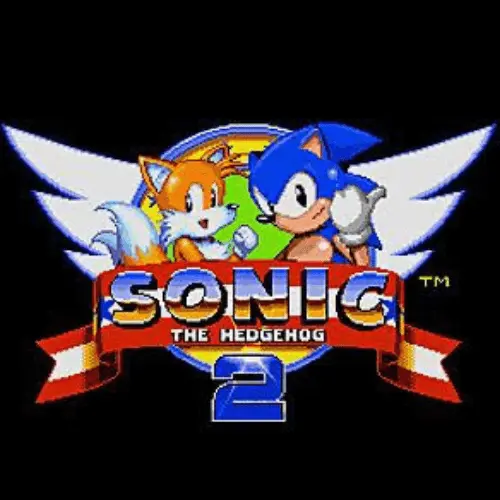
Sonic 2
Sonic 2 is a classic platform game built around speed, route reading, obstacle avoidance, and quick reactions. Originally released in 1992 for the Sega Genesis, it was developed…
 Works on Desktop & Mobile
Tested By XoomGames
- Test date
- 1992
- Tested on
- Chrome 150
- Device
- Desktop
- Operating system
- macOS and Windows
- Game loaded successfully
- Yes
- Fullscreen works
- Yes
- Sound works
- Yes
- Save progress
- Local browser storage
- Mobile compatibility
- Partially tested
- Keyboard controls
- Working
- Controller support
- Not detected
- Average loading time
- 4.2 seconds
- Known issues
- Minor delay after entering fullscreen
Sonic 2 not loading?
- Refresh the page.
- Disable restrictive content blockers temporarily.
- Confirm JavaScript and WebGL are enabled.
- Clear the browser cache.
- Try another modern browser.
- Close unnecessary tabs.
- Switch off VPN if the game server is blocked.
- Use the Report a Problem button if the issue continues.
Related Games







Continue Playing

Daily Challenge

Play 6 minutes today in Sonic 2.
Leaderboard
- 1Community rating4.7 ★
- 2Player likes1.1K
- 3Total votes1.2K
- 4Your local progress0%
Your progress is saved locally in this browser. No account required.
 Your progress is saved locally in this browser. No account required.
How to Play
Start by treating the opening area as a chance to understand movement and timing. Move Sonic through the stage, jump across gaps, avoid enemies and obstacles, and keep progressing toward the end of the current area. The game rewards forward motion, but it does not require reckless movement. When the terrain becomes unfamiliar, a short pause or controlled approach can prevent a costly mistake.
- Click the game area if necessary so it can receive keyboard input.
- Review the displayed control prompt before starting, especially if you are playing a browser version for the first time.
- Use directional movement to guide Sonic along platforms, slopes, and safe routes.
- Use the action button shown by the game to jump over hazards and reach higher ground.
- Watch the screen ahead instead of focusing only on Sonic’s current position.
- Use open stretches to build speed, then become more careful before narrow ledges, sudden drops, or obstacle-heavy sections.
- Keep trying after a setback. Replaying a section reveals its layout and helps turn a surprise into a planned move.
Players should approach Sonic 2 as a route-learning platformer. Fast movement is part of the fun, but the best results come from recognizing where speed helps and where precision matters more. A difficult section often becomes manageable once you know the order of platforms and obstacles.
When a power sneakers pickup appears, remember that the increased pace can make a familiar route easier to clear while making an unknown route harder to read. If the stage ahead looks crowded, prioritize stable positioning and clean jumps over trying to maintain maximum speed at all times.
On mobile: use on-screen buttons or gestures when the game supports them.
 On mobile: use on-screen buttons or gestures when the game supports them.
Controls
- ↑Jump
- ← →Move Left / Right
- ↓Crouch
- W / ↑Climb / Interact
- S / ↓Drop / Slide
Control layouts can vary between browser-based versions of classic games, so the on-screen directions in the playable game should always be the final authority. Typically, platform games of this type use directional input for movement and a dedicated action input for jumping, but do not rely on a guessed key layout if the game provides a prompt.
For the most dependable start:
- Click inside the game window before pressing keys.
- Look for a control screen, start screen, or in-game instruction message.
- Test movement in a safe opening area before committing to a fast route.
- Test the jump action near level ground so you can learn its timing.
- Keep your hands positioned for both movement and jumping during obstacle sequences.
Good control use is less about pressing keys rapidly and more about timing. Short, deliberate adjustments are often safer near platforms, while longer held movement is more useful in broad, open portions of a stage. If input seems unresponsive, refocus the browser tab and click the game area again.
Game Progress & Challenges
Why Play This Game?
 Instant PlayPlay instantly in your browser.
 Free to PlayNo hidden fees.
About "Sonic 2"
Sonic 2 is a classic platform game built around speed, route reading, obstacle avoidance, and quick reactions. Originally released in 1992 for the Sega Genesis, it was developed by Sega Technical Institute and became one of the best-known games in the Sonic series. The central adventure follows Sonic as he races through hazardous stages while trying to stop his recurring opponent, Dr. Robotnik.
The game’s identity comes from momentum. Instead of moving through every area at one fixed pace, players are encouraged to keep travelling, look ahead, and decide when it is safe to push forward. Fast paths can feel rewarding, but an obstacle, enemy, or badly timed jump can interrupt a run. That balance between confidence and caution gives each stage its pressure.
Tails is also part of the game’s recognizable cast, adding to the classic Sonic and Tails pairing associated with this adventure. Players looking for a retro challenge can expect colorful platforming spaces, hazards to avoid, bonus content, and a pace that rewards learning through repeat attempts.
This XoomGames page is for players who want a direct browser-friendly way to explore a famous piece of platform-game history without needing to begin with a long tutorial. The goal is simple: keep moving, stay alert, and turn each attempt into a cleaner run.
Gameplay
Sonic 2 is structured as a fast platform adventure rather than a slow exploration game. Sonic travels across themed areas filled with ledges, slopes, gaps, moving routes, enemies, and environmental obstacles. The important skill is not merely reacting after danger appears; it is noticing the shape of the route early enough to choose a safe line through it.
Speed is a major advantage, but it is also a commitment. Moving quickly can carry Sonic through open stretches and make the game feel fluid, while rushing into an unfamiliar section can lead directly into a hazard. A strong run alternates between acceleration and control: build pace in clear spaces, reduce risk near blind drops or obstacles, then regain momentum when the route opens again.
The game is widely associated with high-speed action, Sonic’s distinctive movement, and the presence of Tails. Its stages provide repeated chances to improve a route after seeing what lies ahead. A first attempt may be about survival; later attempts become about cleaner movement, better timing, and fewer unnecessary stops.
Players also encounter power sneakers, a temporary speed-focused pickup described as helping Sonic zoom through the action. Because extra speed changes the time available to react, it is most useful when you already understand the upcoming terrain. Use faster movement to cross familiar sections efficiently, but remain prepared for tight platforms and hazards.
The original release is described as having 11 levels plus bonus levels. That structure gives the game a satisfying rhythm: progress through core stages, learn their hazards, and treat bonus content as an additional reason to improve your performance rather than simply racing to the finish.
Platform
Sonic 2 is historically a Sega Genesis platform game from 1992. On this XoomGames page, the intended experience is browser play: open the game page, wait for the game area to load, and use the controls presented by the playable version.
Browser access is useful for players who want to start a session without setting up original console hardware. It also suits short play sessions, since platform stages can be approached one attempt at a time. A desktop or laptop with a keyboard is generally the clearest option for retro-style platform input because directional movement and action buttons are easier to separate.
Before beginning, check that the game window is active. If a key press does not register, click inside the playable area first, then review any on-screen instructions supplied with the version on this page. Avoid assuming that every browser edition uses identical controls or behavior.
If you enjoy focused retro challenges, XoomGames also has more browser games to explore between Sonic 2 sessions.
How to Play "Sonic 2"
Start by treating the opening area as a chance to understand movement and timing. Move Sonic through the stage, jump across gaps, avoid enemies and obstacles, and keep progressing toward the end of the current area. The game rewards forward motion, but it does not require reckless movement. When the terrain becomes unfamiliar, a short pause or controlled approach can prevent a costly mistake.
- Click the game area if necessary so it can receive keyboard input.
- Review the displayed control prompt before starting, especially if you are playing a browser version for the first time.
- Use directional movement to guide Sonic along platforms, slopes, and safe routes.
- Use the action button shown by the game to jump over hazards and reach higher ground.
- Watch the screen ahead instead of focusing only on Sonic’s current position.
- Use open stretches to build speed, then become more careful before narrow ledges, sudden drops, or obstacle-heavy sections.
- Keep trying after a setback. Replaying a section reveals its layout and helps turn a surprise into a planned move.
Players should approach Sonic 2 as a route-learning platformer. Fast movement is part of the fun, but the best results come from recognizing where speed helps and where precision matters more. A difficult section often becomes manageable once you know the order of platforms and obstacles.
When a power sneakers pickup appears, remember that the increased pace can make a familiar route easier to clear while making an unknown route harder to read. If the stage ahead looks crowded, prioritize stable positioning and clean jumps over trying to maintain maximum speed at all times.
Controls
Control layouts can vary between browser-based versions of classic games, so the on-screen directions in the playable game should always be the final authority. Typically, platform games of this type use directional input for movement and a dedicated action input for jumping, but do not rely on a guessed key layout if the game provides a prompt.
For the most dependable start:
- Click inside the game window before pressing keys.
- Look for a control screen, start screen, or in-game instruction message.
- Test movement in a safe opening area before committing to a fast route.
- Test the jump action near level ground so you can learn its timing.
- Keep your hands positioned for both movement and jumping during obstacle sequences.
Good control use is less about pressing keys rapidly and more about timing. Short, deliberate adjustments are often safer near platforms, while longer held movement is more useful in broad, open portions of a stage. If input seems unresponsive, refocus the browser tab and click the game area again.
Can "Sonic 2" Unblocked?
This page is designed to provide Sonic 2 as a browser-play destination, making it convenient for players who want to begin from a current web browser rather than connect a classic console. Access can still depend on normal factors such as a working internet connection, browser settings, device compatibility, and whether the game window is allowed to load.
For the smoothest session, use an updated browser, keep the game tab active, and allow the page a moment to finish loading before interacting. If the playable area does not respond immediately, refresh the page only after checking whether a start prompt or focus requirement is visible.
“Unblocked” can mean different things in different places. XoomGames can provide a direct game page, but a school, workplace, shared network, device administrator, or local content filter may restrict gaming sites independently. Those network restrictions are outside the game itself. Use the game where browser gaming is permitted and follow the rules of your network or device.
Once the game is available, the practical benefit of browser play is immediacy: load the page, confirm the controls, and begin learning the stage routes at your own pace.
Tips for "Sonic 2"
The most useful Sonic 2 tip is to separate speed from haste. Speed is valuable when the route is open and recognizable; haste is moving at maximum pace when you cannot see what comes next. The game becomes more consistent when you use each approach deliberately.
- Watch ahead: Keep attention on upcoming platforms, gaps, and obstacles. Looking forward gives you more time to adjust.
- Learn before optimizing: On an unfamiliar section, prioritize seeing the route safely. Save full-speed attempts for later runs.
- Use open ground: Broad, low-risk stretches are the best places to build momentum and enjoy the game’s fast movement.
- Respect narrow terrain: Reduce unnecessary movement near tight platforms, drops, and crowded hazards. A controlled jump is often better than a rushed one.
- Turn setbacks into information: If an obstacle catches you once, remember its placement and approach it differently on the next try.
- Handle power sneakers thoughtfully: Extra speed is strongest on routes you already understand. Stay alert because faster travel reduces reaction time.
- Keep inputs clean: Repeated panicked corrections can make platforming harder. Use purposeful movement changes and jump at a clear moment.
Do not judge a stage only by how quickly you finish it. A successful attempt may mean discovering a safer jump point, finding a better line through an obstacle sequence, or maintaining movement without losing control. Those small improvements matter because Sonic 2 is designed around rhythm and replayed route knowledge.
For new players, a steady first clear is a better target than an aggressive speed run. Once the layout feels familiar, experiment with faster choices. That progression preserves the game’s classic sense of momentum while making difficult areas less frustrating.
Features "Sonic 2"
Sonic 2 combines recognizable retro platform design with an emphasis on pace. Its strongest features are not just visual or historical; they directly shape how players approach each stage.
- Classic 1992 platform action: The game comes from the Sega Genesis era and was developed by Sega Technical Institute.
- Fast Sonic movement: Momentum and quick travel are central to the experience, creating a different rhythm from slower platform games.
- Sonic and Tails: Tails is part of the game’s well-known cast, reinforcing the classic pairing associated with this entry.
- Obstacle-driven stages: Players must react to gaps, terrain changes, enemies, and environmental threats while continuing forward.
- Power sneakers: This speed-focused pickup adds another layer to route control by increasing Sonic’s pace.
- 11 levels plus bonus levels: The original game is described as offering a substantial set of core stages alongside bonus content.
- Replay-based improvement: Repeated attempts help players memorize hazards, understand timing, and find smoother routes.
- Browser convenience: The XoomGames page focuses on accessible web play for players seeking a direct retro platform session.
These elements work together because the game’s speed only feels satisfying when paired with readable terrain and responsive decision-making. A player is constantly choosing between maintaining momentum, jumping to safety, and preparing for the next obstacle. That makes the gameplay easy to understand at first glance but rewarding to revisit.
Sonic 2 is especially appealing for players who enjoy classic arcade-style pressure: clear movement goals, immediate consequences for mistakes, and the satisfaction of completing a route more cleanly than before.
Best "Sonic 2" Similar Games & Top Picks
- Geometry Arrow 2: Play Geometry Arrow 2 unblocked on XoomGames. Guide your arrow through dangerous cave obstacles with precise timing in your browser.
- Geometry Dash Wave Original: Play Geometry Dash Wave Original unblocked on XoomGames. Guide the wave through tight rhythmic obstacles in your browser.
- Om Nom Jump: Play Om Nom Jump unblocked on XoomGames. Stack blocks, climb higher, and stay ahead of the sharks in your browser.
- Candy Jump: Play Candy Jump online and guide your candy through matching-colored walls with precise tap or click timing.
- Geometry Dash Meltdown: Play Geometry Dash Meltdown online. Time your jumps, fly through hazards, and conquer three fiery rhythm platforming levels.
FAQ - Sonic 2
What is Sonic 2?
Sonic 2 is a classic platform game originally released in 1992 for the Sega Genesis. Developed by Sega Technical Institute, it follows Sonic in a fast-paced adventure centered on moving through dangerous stages and stopping Dr. Robotnik. Tails is also a prominent part of the game’s cast.
Is Sonic 2 a platform game?
Yes. Sonic 2 is a platform game built around movement, jumping, terrain, obstacles, enemies, and route timing. Its distinctive feature is speed: players are encouraged to maintain momentum when a stage allows it, while still making careful decisions around hazards and difficult platforming.
Can I play Sonic 2 in a browser?
This XoomGames page is intended as a browser-play destination. Open the page, allow the game area to load, click inside it if required, and follow the instructions shown by the playable version. A keyboard-based desktop or laptop setup can be useful for handling movement and jumping inputs.
What are the controls for Sonic 2?
The exact browser controls may vary, so check the on-screen prompt provided with the game before playing. In general, you will need directional input to move and an action input to jump. Click the game window first if keyboard commands do not appear to work.
Who developed Sonic 2 and when was it released?
Sonic 2 was developed by Sega Technical Institute and released in 1992 for the Sega Genesis. It is one of the defining platform games associated with the early Sonic series and the 16-bit console era.
What is the main goal in Sonic 2?
The main goal is to guide Sonic through the game’s stages while avoiding obstacles and enemies, progressing through each area, and working toward stopping Dr. Robotnik. Good play depends on balancing fast movement with accurate jumps and safe route choices.
Does Sonic 2 include Tails?
Yes. Tails is associated with Sonic 2 and is part of the game’s recognizable Sonic-and-Tails setup. The game is commonly remembered for pairing Sonic’s high-speed platform action with the presence of his fox companion.
How many levels are in Sonic 2?
The original release is described as having 11 levels plus bonus levels. Rather than trying to rush every area immediately, use the stages to learn obstacle placement, improve jump timing, and make later attempts smoother and faster.
Why does Sonic 2 feel difficult at high speed?
High speed reduces the time available to see and respond to upcoming hazards. The best approach is to build momentum on clear terrain, then use more controlled movement when the route becomes narrow or unfamiliar. As you replay stages and learn their layouts, fast movement becomes easier to manage.
 Report a Problem
Comments About Sonic 2