


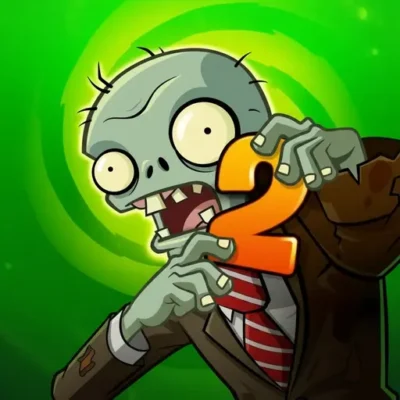
Plants vs Zombies 2 “PVZ 2”
Plants vs Zombies 2 PVZ 2 is a plant-versus-undead strategy adventure built around one clear objective: create a defense before the zombie line reaches the end of the…
 Works on Desktop & Mobile
Tested By XoomGames
- Test date
- August 19, 2026
- Tested on
- Chrome 150
- Device
- Desktop
- Operating system
- macOS and Windows
- Game loaded successfully
- Yes
- Fullscreen works
- Yes
- Sound works
- Yes
- Save progress
- Local browser storage
- Mobile compatibility
- Partially tested
- Keyboard controls
- Working
- Controller support
- Not detected
- Average loading time
- 4.2 seconds
- Known issues
- Minor delay after entering fullscreen
Plants vs Zombies 2 “PVZ 2” not loading?
- Refresh the page.
- Disable restrictive content blockers temporarily.
- Confirm JavaScript and WebGL are enabled.
- Clear the browser cache.
- Try another modern browser.
- Close unnecessary tabs.
- Switch off VPN if the game server is blocked.
- Use the Report a Problem button if the issue continues.
Related Games



Continue Playing

Daily Challenge

Play 4 minutes today in Plants vs Zombies 2 “PVZ 2”.
Leaderboard
- 1Community rating4.6 ★
- 2Player likes479
- 3Total votes527
- 4Your local progress0%
Your progress is saved locally in this browser. No account required.
 Your progress is saved locally in this browser. No account required.
How to Play
Start each match by studying the lawn before committing to a placement. Zombies generally advance through lanes, so the first priority is identifying where your early defense will be needed. Place plants with a purpose: some should help damage incoming enemies, while others can buy time or protect a vulnerable part of the board.
Do not treat every lane equally if the danger is not equal. A row with several zombies, a stronger target, or too little plant coverage deserves attention first. Conversely, a secure lane may not need more resources immediately. This habit of responding to the most urgent threat is the foundation of efficient play.
- Look across all lanes and locate the nearest or most dangerous zombie pressure.
- Choose a plant that answers the immediate problem instead of placing randomly.
- Build enough offense to reduce approaching waves before they reach your final line.
- Support weak rows with additional defense when a breakthrough looks likely.
- Recheck the board after each placement; the most dangerous lane can change quickly.
- Adapt your setup for themed worlds, special encounters, and bosses.
New players often make the mistake of filling one lane while leaving another almost empty. A more reliable approach is to establish a basic defensive presence across the lawn, then strengthen the row receiving the greatest pressure. This reduces the chance that one unnoticed zombie ends the run.
When boss content appears, focus on maintaining a stable overall board. A boss encounter is not only about raw damage; it also tests whether your plant arrangement can survive sustained pressure. Keep observing lanes, react to visible threats, and avoid sacrificing the rest of the lawn for one target unless that target is the immediate reason you could lose.
On mobile: use on-screen buttons or gestures when the game supports them.
 On mobile: use on-screen buttons or gestures when the game supports them.
Controls
- ↑Jump
- ← →Move Left / Right
- ↓Crouch
- W / ↑Climb / Interact
- S / ↓Drop / Slide
Because PVZ 2 is commonly played on mobile devices and may be presented differently in a browser-hosted version, use the control prompts shown on the game screen as the authoritative guide. The available research supports iPad and Android availability, but it does not establish one universal keyboard layout for every playable version.
In practical terms, the core interaction is selection and placement: choose a plant from the available options, then place it in the intended lane and position. On touch devices, this is typically handled through taps. In a browser presentation, follow the visible interface instructions for selecting plants, confirming placement, opening menus, or pausing.
- Select: Choose a plant from the available plant options.
- Place: Put the selected plant in the desired lawn space.
- Observe: Watch each zombie lane after making a move.
- Adjust: Add support where the defense is under pressure.
If an action does not register, wait briefly for the game to finish loading, then try the on-screen prompt again. Avoid relying on assumed shortcuts when the current version provides its own instructions.
Game Progress & Challenges
Why Play This Game?
 Instant PlayPlay instantly in your browser.
 Free to PlayNo hidden fees.
About "Plants vs Zombies 2 “PVZ 2”"
Plants vs Zombies 2 PVZ 2 is a plant-versus-undead strategy adventure built around one clear objective: create a defense before the zombie line reaches the end of the lawn. The game combines colorful cartoon action with deliberate tactical decisions. Every placement matters because each plant occupies a useful defensive role, while zombies approach in lanes and pressure your formation over time.
PVZ 2 is known for expanding the series into distinct themed worlds rather than limiting play to a single garden setting. These worlds introduce changing encounters, tougher zombie groups, and boss-focused moments that test how well you understand your plant lineup. The broad appeal comes from its readable setup: see the incoming threat, choose a response, and adjust before a weak lane collapses.
For players browsing arcade-style strategy games, the important idea is not fast button pressing. It is planning under pressure. You need to recognize which lane needs help, protect important attackers, and avoid spending resources on the wrong answer. That blend of accessible rules and escalating situations makes PVZ 2 a strong fit for players who enjoy defense games with personality, progression, plants, zombies, and tactical problem-solving.
The game is also a useful example of why lane defense remains satisfying: the battlefield is easy to read, but a successful board requires timing, prioritization, and a backup plan.
Gameplay
Gameplay in PVZ 2 centers on defending multiple horizontal lanes against advancing zombies. Plants form the player’s defensive toolkit, while zombies create the pressure that forces decisions. A basic formation may begin with damage dealers, but stronger play comes from treating the lawn as a connected system rather than a collection of separate units.
Each wave asks several practical questions. Which lane is most exposed? Which zombie is likely to break through first? Is it better to add offense now or preserve room and resources for a later response? The most useful move is often the one that prevents a small problem from becoming a lost lane. Watching the front of each row is therefore more valuable than focusing only on the biggest crowd.
The series structure includes uniquely themed worlds, with research references describing nine themed worlds and bosses associated with world progression. That setting variety gives encounters a changing context instead of making every defense feel identical. A strategy that works comfortably in one environment may need adjustment when the enemy mix, pace, or boss pressure changes.
- Lane awareness: Monitor every row, especially one with fewer defenders.
- Plant roles: Balance attacking plants with defensive support where it is needed.
- Wave response: Reinforce weak points before a zombie reaches the final line.
- World progression: Expect themed stages and more demanding encounters as you advance.
- Boss encounters: Save attention for larger threats that can test a full formation.
The key gameplay benefit is clarity. You can usually see why a defense is succeeding or failing, then change your placement approach on the next attempt. That feedback loop makes PVZ 2 approachable for new players while still rewarding careful optimization.
Platform
Plants vs Zombies 2 is widely associated with mobile play. The available research specifically identifies iPad availability and also states that the game is available on Android. That mobile history matters because many players may know PVZ 2 through touch-based sessions rather than traditional desktop game controls.
On this XoomGames page, treat the browser listing as a convenient way to access the game content online, but do not assume that every version has identical menus, progression, modes, or control prompts. Browser-hosted game builds can present an experience differently from a dedicated mobile app.
Before starting, allow the game area to finish loading and check the visible prompts. If the page offers full-screen viewing, it can make lane positions and plant placement easier to read. A stable connection is also helpful for avoiding interruptions during a longer defense stage.
- Known mobile availability includes iPad and Android.
- PVZ 2 contains plants, zombies, multiple modes, and boss content in the broader game coverage.
- Use the instructions displayed in the playable version as the final guide for access and interaction.
How to Play "Plants vs Zombies 2 “PVZ 2”"
Start each match by studying the lawn before committing to a placement. Zombies generally advance through lanes, so the first priority is identifying where your early defense will be needed. Place plants with a purpose: some should help damage incoming enemies, while others can buy time or protect a vulnerable part of the board.
Do not treat every lane equally if the danger is not equal. A row with several zombies, a stronger target, or too little plant coverage deserves attention first. Conversely, a secure lane may not need more resources immediately. This habit of responding to the most urgent threat is the foundation of efficient play.
- Look across all lanes and locate the nearest or most dangerous zombie pressure.
- Choose a plant that answers the immediate problem instead of placing randomly.
- Build enough offense to reduce approaching waves before they reach your final line.
- Support weak rows with additional defense when a breakthrough looks likely.
- Recheck the board after each placement; the most dangerous lane can change quickly.
- Adapt your setup for themed worlds, special encounters, and bosses.
New players often make the mistake of filling one lane while leaving another almost empty. A more reliable approach is to establish a basic defensive presence across the lawn, then strengthen the row receiving the greatest pressure. This reduces the chance that one unnoticed zombie ends the run.
When boss content appears, focus on maintaining a stable overall board. A boss encounter is not only about raw damage; it also tests whether your plant arrangement can survive sustained pressure. Keep observing lanes, react to visible threats, and avoid sacrificing the rest of the lawn for one target unless that target is the immediate reason you could lose.
Controls
Because PVZ 2 is commonly played on mobile devices and may be presented differently in a browser-hosted version, use the control prompts shown on the game screen as the authoritative guide. The available research supports iPad and Android availability, but it does not establish one universal keyboard layout for every playable version.
In practical terms, the core interaction is selection and placement: choose a plant from the available options, then place it in the intended lane and position. On touch devices, this is typically handled through taps. In a browser presentation, follow the visible interface instructions for selecting plants, confirming placement, opening menus, or pausing.
- Select: Choose a plant from the available plant options.
- Place: Put the selected plant in the desired lawn space.
- Observe: Watch each zombie lane after making a move.
- Adjust: Add support where the defense is under pressure.
If an action does not register, wait briefly for the game to finish loading, then try the on-screen prompt again. Avoid relying on assumed shortcuts when the current version provides its own instructions.
Can "Plants vs Zombies 2 “PVZ 2”" Unblocked?
Players often search for an unblocked version when they want to play in a browser without installing a separate app. Access can depend on the device, browser settings, local network rules, and whether the game page is available in your location. No game page can guarantee that a school, workplace, library, or managed network will allow it.
The practical approach is simple: open the XoomGames page in a supported browser, let the game area load fully, and use the visible start or interaction prompt. If the game does not open, a network filter, restricted browser setting, blocked scripts, or a temporary loading issue may be responsible.
Do not attempt to bypass a network’s safety controls or usage policy. Instead, try a permitted personal connection or play at a time and place where browser games are allowed. For a smoother session, close unnecessary tabs, confirm that your browser is up to date, and make sure the page has enough time to load before deciding that it is unavailable.
The useful distinction is between legitimate browser access and bypassing restrictions: the first is about opening an available game page, while the second can violate rules set by the network owner.
Tips for "Plants vs Zombies 2 “PVZ 2”"
Strong PVZ 2 play starts with observation rather than panic. The lawn gives you valuable information: zombie positions, crowded lanes, unprotected rows, and the distance between a threat and your final defense. Read that information before placing another plant.
- Cover the lawn early: A modest defense in several lanes is usually safer than concentrating everything in one row.
- Fix the nearest threat first: A zombie close to the end of the lane is more urgent than a distant target in a well-defended row.
- Think in roles: Use plants for the job they need to perform, such as damaging enemies or reinforcing a weak position.
- Keep checking lanes: Do not assume a quiet row will stay quiet after the next wave begins.
- Learn from failed boards: If a lane breaks, identify whether it lacked damage, protection, attention, or a timely response.
- Prepare for bosses: A stable formation across the lawn is more dependable than a fragile setup built around one strong area.
A valuable tactical habit is to avoid overcommitting. When players place too many resources into a lane that is already safe, they may have no answer when another lane suddenly becomes dangerous. Leave yourself room to react. The best board is not merely the one doing the most damage; it is the one that can absorb a surprise.
The themed-world format also rewards flexibility. Enter each new situation ready to revise your usual pattern. Rather than expecting one setup to solve every stage, evaluate the zombie pressure in front of you and make the smallest effective change. This saves resources and keeps your attention on the real threat.
Finally, prioritize consistency over speed. A controlled defense that gradually clears a wave is usually better than frantic placement that leaves gaps. PVZ 2 rewards players who can scan, decide, place, and reassess in a repeatable rhythm.
Features "Plants vs Zombies 2 “PVZ 2”"
PVZ 2 combines recognizable tower-defense ideas with a playful plants-versus-zombies theme. The central feature is lane-based defense: plants are arranged to resist zombies moving toward the end of the lawn. This visual structure makes the strategy easy to follow, since players can immediately see where a formation is strong and where it is at risk.
- Plant-based defense: Build a formation using plants with different tactical purposes.
- Zombie waves: Respond to advancing enemy groups and protect each lane.
- Themed worlds: The game is associated with nine uniquely themed worlds in the provided research.
- Boss moments: Larger encounters add extra pressure at the end of world-focused progression.
- Multiple modes: Broader gameplay coverage references modes alongside plants, zombies, and bosses.
- Readable strategy: The battlefield shows the consequences of placement choices clearly.
The most important feature is how these elements interact. Plants are not simply collectibles, zombies are not simply targets, and lanes are not merely decoration. Together, they create a tactical puzzle in which placement order, defensive coverage, and reaction time determine whether the lawn holds.
PVZ 2 also benefits from an approachable presentation. The undead theme may sound like it belongs only to horror games, but the tone is cartoon-styled rather than realistic. That makes the game suitable for players seeking a light, imaginative zombie challenge with strategy at its center.
Its lasting appeal comes from progression through changing situations. Themed worlds, bosses, different enemy pressure, and a broad plant-versus-zombie roster give players reasons to keep adapting instead of repeating a single automatic solution.
Best "Plants vs Zombies 2 “PVZ 2”" Similar Games & Top Picks
- Murder: A quick browser game pick from the same collection.
- Cheat or Repeat: A quick browser game pick from the same collection.
- The Binding Of Isaac: Play The Binding Of Isaac unblocked on XoomGames. Take on unpredictable roguelike shooter runs in your browser.
- A Dark Room: Play A Dark Room unblocked on XoomGames. Manage resources and uncover a minimalist text RPG in your browser.
- The Freak Circus: Play The Freak Circus unblocked on XoomGames. Explore a dark 18+ horror visual novel in your browser.
FAQ - Plants vs Zombies 2 “PVZ 2”
What is Plants vs Zombies 2 PVZ 2?
Plants vs Zombies 2 PVZ 2 is a strategy defense game in which players use plants to stop zombies from advancing across a lawn. The main tactical challenge is protecting multiple lanes while choosing where to place defensive and attacking plants.
How do you win in PVZ 2?
You win by preventing zombies from reaching the end of the lawn. Successful play depends on watching every lane, placing plants where pressure is building, and reinforcing a row before a zombie breakthrough becomes unavoidable.
Is Plants vs Zombies 2 a horror game?
It uses zombies and undead-themed enemies, which fits the horror category at a basic theme level. However, its presentation is cartoon-like and strategy-focused rather than realistic or graphic. The core experience is tactical garden defense, not intense survival horror.
What platforms is PVZ 2 known to support?
The provided research identifies PVZ 2 as available on iPad and Android. This page presents the game for browser-oriented access, but the exact interface, prompts, modes, and progression can differ between a browser version and a dedicated mobile version.
Does Plants vs Zombies 2 have worlds and bosses?
Yes. The research describes PVZ 2 as having nine uniquely themed worlds and boss encounters associated with them. These changing settings help create variety and can require players to adjust their defense instead of relying on one fixed formation.
What are the best beginner strategies?
Begin by maintaining awareness across all lanes. Put plants where they address the most urgent incoming zombie pressure, avoid leaving rows undefended, and do not spend every available option on a lane that is already secure. A balanced board is generally more reliable than an uneven one.
Can I play PVZ 2 unblocked anywhere?
Availability depends on browser support, local network rules, device settings, and the game page itself. A school, workplace, or public network may restrict browser games. Use permitted access methods and do not try to bypass network filters or safety policies.
What controls should I use?
Follow the instructions visible in the version you are playing. PVZ 2 is associated with iPad and Android play, where touch interaction is relevant. In a browser presentation, the on-screen prompts should tell you how to select plants, place them on the lawn, and use available menus.
 Report a Problem
Comments About Plants vs Zombies 2 “PVZ 2”