


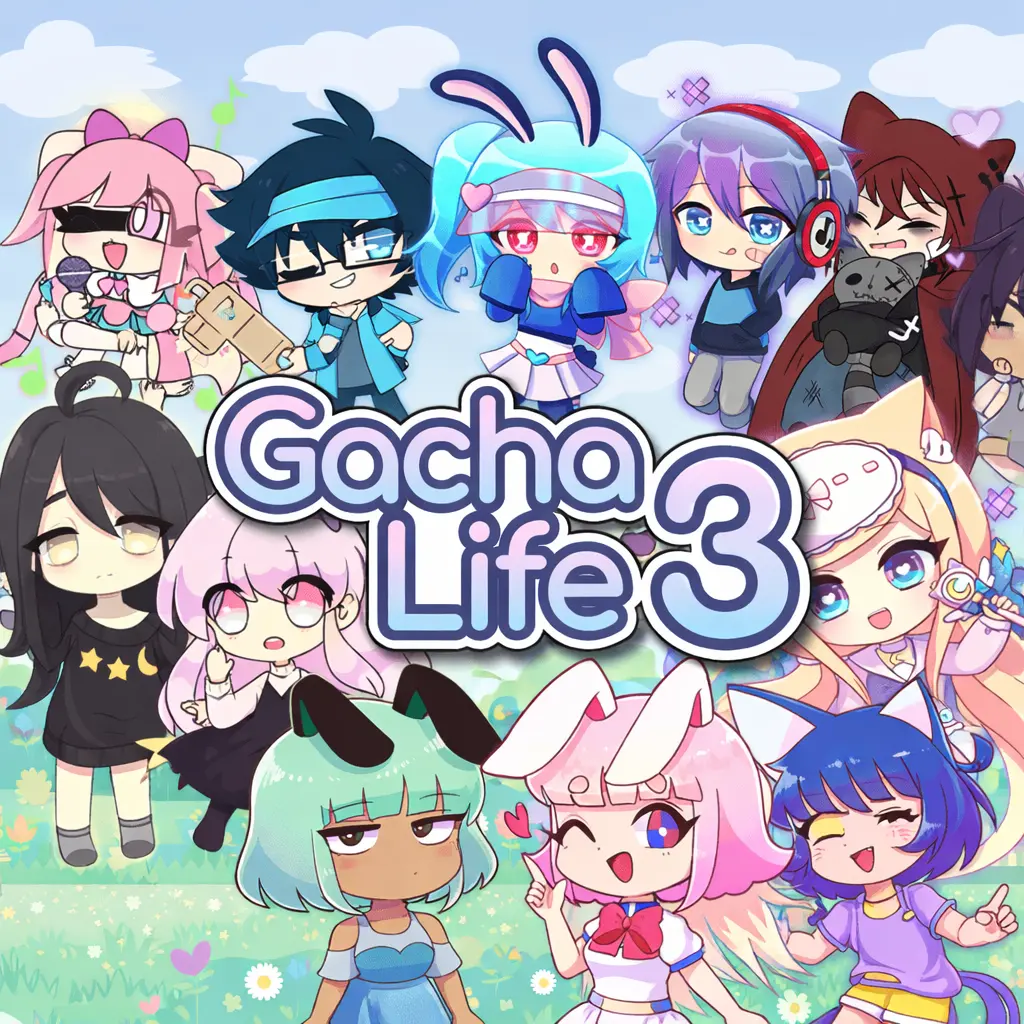
Gacha Life 3
Gacha Life 3 is an anime-inspired dress-up and character creator game centered on building original avatars. Instead of following a fixed action challenge, the main appeal is making…
 Works on Desktop & Mobile
Tested By XoomGames
- Test date
- August 19, 2026
- Tested on
- Chrome 150
- Device
- Desktop
- Operating system
- macOS and Windows
- Game loaded successfully
- Yes
- Fullscreen works
- Yes
- Sound works
- Yes
- Save progress
- Local browser storage
- Mobile compatibility
- Partially tested
- Keyboard controls
- Working
- Controller support
- Not detected
- Average loading time
- 4.2 seconds
- Known issues
- Minor delay after entering fullscreen
Gacha Life 3 not loading?
- Refresh the page.
- Disable restrictive content blockers temporarily.
- Confirm JavaScript and WebGL are enabled.
- Clear the browser cache.
- Try another modern browser.
- Close unnecessary tabs.
- Switch off VPN if the game server is blocked.
- Use the Report a Problem button if the issue continues.
Related Games



Continue Playing
Daily Challenge

Play 7 minutes today in Gacha Life 3.
Leaderboard
- 1Community rating4.6 ★
- 2Player likes1.0K
- 3Total votes1.1K
- 4Your local progress0%
Your progress is saved locally in this browser. No account required.
 Your progress is saved locally in this browser. No account required.
How to Play
- Open a character slot. Begin with one slot and treat it as a blank canvas for a new avatar or a themed variation of an existing idea.
- Choose a concept. Decide on a simple direction before selecting too many items. A color, mood, role, or genre can guide every later choice.
- Build the outfit first. Browse clothing options and select the pieces that define the character’s main silhouette. This is usually more important than adding accessories immediately.
- Add signature items. Use hats, weapons, and other available gacha-style items to make the design recognizable. Pick details that support the same theme rather than competing for attention.
- Review the full look. Check whether the colors, clothing, and accessories feel intentional together. Replace one item at a time if the design looks too busy.
- Use more slots for more ideas. With up to 10 character slots, you can keep a cast, create alternate outfits, or compare several versions without losing a design you like.
There is no universal “best” character in a dress-up creator. A successful result is one that communicates what you intended. For example, a weapon may suggest a heroic or adventurous role, while a hat can give a character a more playful, formal, or unusual identity. Reusing a few colors across different characters is also a practical way to make a team look connected.
Take your time with each category. Randomly selecting every available item can produce surprising results, but deliberate changes are better when you want a polished avatar. Save the random experimentation for spare slots, then use your favorite slot for a final version with a clear visual direction.
On mobile: use on-screen buttons or gestures when the game supports them.
 On mobile: use on-screen buttons or gestures when the game supports them.
Controls
- ↑Jump
- ← →Move Left / Right
- ↓Crouch
- W / ↑Climb / Interact
- S / ↓Drop / Slide
Gacha Life 3 is built around its on-screen character creator interface. Select a category, browse the visible options, and choose the clothing, hat, weapon, or other item you want to apply to the current character. The exact placement of menus can vary with the game display and device.
| Action | What to use |
|---|---|
| Select an item | On-screen menu |
| Change category | Category controls |
| Switch character | Character slot menu |
| Review a design | Character preview |
On a computer, use the usual browser pointer to interact with visible menus. On a touch-enabled device, use the game’s touch interface where available. If a selection does not register, wait for the page to finish loading and try the item again rather than repeatedly tapping or clicking through several categories.
Game Progress & Challenges
Why Play This Game?
 Instant PlayPlay instantly in your browser.
 Free to PlayNo hidden fees.
About "Gacha Life 3"
Gacha Life 3 is an anime-inspired dress-up and character creator game centered on building original avatars. Instead of following a fixed action challenge, the main appeal is making characters look distinct through clothing, hats, weapons, and other gacha-style customization choices. It is a creative game for players who enjoy designing an OC, testing outfit combinations, or assembling a small cast with different visual identities.
The character creator gives you room to work on both individual details and the overall theme of a character. You can make a coordinated look, mix contrasting accessories, create a fantasy-inspired fighter, or develop casual characters for your own stories. The available character slots also make it easier to keep more than one design instead of replacing your first avatar whenever a new idea appears.
Gacha Life 3 works best as an open-ended customization experience. There is no need to rush toward a single correct result: try a style, change it, and keep refining it until the character fits your idea. If you enjoy creative browser games that reward visual experimentation, this is a straightforward place to start designing.
Gameplay
The gameplay in Gacha Life 3 is based on selection, combination, and revision. Start with a character slot, then explore the available wardrobe and accessory options to establish a direction. Clothing provides the foundation of a look, while hats, weapons, and other items can change the character’s role or personality at a glance. A simple outfit can become a traveler, performer, student, fantasy hero, or mysterious rival depending on the items you pair with it.
Because the game supports up to 10 character slots, it encourages players to think beyond one avatar. You can create alternate versions of the same character, make a group with matching colors, or reserve separate slots for entirely different themes. This adds a light collection element: each completed design becomes part of your own lineup rather than a temporary experiment.
A useful way to approach play is to work in passes. Pick a broad concept first, such as color palette or character role. Next, choose the main clothing pieces. Then add hats, weapons, and smaller details only when they reinforce the concept. This prevents a design from becoming cluttered and makes comparisons between characters easier.
The game’s strongest loop is creative iteration. Make a first version, inspect whether its pieces work together, swap one category at a time, and save a slot when the result feels complete. Players looking for combat, a confirmed story campaign, or a verified progression system should not assume those modes are part of this browser version; the supported focus is character creation and dress-up customization.
Platform
Gacha Life 3 is presented here as a free online browser game, so the goal is to open the game page and use the character creator without needing a separate download. Browser play is convenient for quick outfit experiments, short creative breaks, or returning to work on another character slot later.
For the smoothest experience, use a current web browser and allow the game page to finish loading before making rapid menu changes. A larger screen can make it easier to compare clothing, hats, weapons, and other visual details, especially when you are building several characters with related styles.
Browser game availability can depend on your device, network settings, and whether the game host is permitted on the connection you are using. If the game does not load immediately, refresh the page, check your connection, and make sure browser content is not being blocked. The core appeal remains the same across supported access methods: choose items, customize an avatar, and manage your character lineup.
How to Play "Gacha Life 3"
- Open a character slot. Begin with one slot and treat it as a blank canvas for a new avatar or a themed variation of an existing idea.
- Choose a concept. Decide on a simple direction before selecting too many items. A color, mood, role, or genre can guide every later choice.
- Build the outfit first. Browse clothing options and select the pieces that define the character’s main silhouette. This is usually more important than adding accessories immediately.
- Add signature items. Use hats, weapons, and other available gacha-style items to make the design recognizable. Pick details that support the same theme rather than competing for attention.
- Review the full look. Check whether the colors, clothing, and accessories feel intentional together. Replace one item at a time if the design looks too busy.
- Use more slots for more ideas. With up to 10 character slots, you can keep a cast, create alternate outfits, or compare several versions without losing a design you like.
There is no universal “best” character in a dress-up creator. A successful result is one that communicates what you intended. For example, a weapon may suggest a heroic or adventurous role, while a hat can give a character a more playful, formal, or unusual identity. Reusing a few colors across different characters is also a practical way to make a team look connected.
Take your time with each category. Randomly selecting every available item can produce surprising results, but deliberate changes are better when you want a polished avatar. Save the random experimentation for spare slots, then use your favorite slot for a final version with a clear visual direction.
Controls
Gacha Life 3 is built around its on-screen character creator interface. Select a category, browse the visible options, and choose the clothing, hat, weapon, or other item you want to apply to the current character. The exact placement of menus can vary with the game display and device.
| Action | What to use |
|---|---|
| Select an item | On-screen menu |
| Change category | Category controls |
| Switch character | Character slot menu |
| Review a design | Character preview |
On a computer, use the usual browser pointer to interact with visible menus. On a touch-enabled device, use the game’s touch interface where available. If a selection does not register, wait for the page to finish loading and try the item again rather than repeatedly tapping or clicking through several categories.
Can "Gacha Life 3" Unblocked?
Playing Gacha Life 3 unblocked generally means accessing the game through a browser on a connection that allows the game page to load. Whether it is available at school, work, a library, or another shared network is controlled by that network’s local rules and filters, not by the character creator itself.
If the game is restricted on a managed connection, do not try to bypass security tools or network policies. Instead, use a permitted personal connection or play at a time and place where browser gaming is allowed. This is the safest way to enjoy the game without causing account, device, or network problems.
When access is allowed but the game is slow, close unnecessary browser tabs, confirm that your connection is stable, and reload the page. Character creators can feel more responsive when the browser has enough resources to display menus and visual options cleanly. Once the game loads, you can focus on building outfits and using the available character slots rather than dealing with interruptions.
Tips for "Gacha Life 3"
Start with one visual rule. Choose two or three colors, one genre, or one character role before opening every category. A limited plan makes it easier to tell whether a new clothing piece improves the design.
Use clothing as the base layer. The outfit usually establishes the biggest visual impression. Pick that first, then use hats and weapons as accents. Adding major accessories too early can make it harder to see what the character actually needs.
Give every accessory a purpose. A hat can create a memorable silhouette, while a weapon can imply a role or story idea. If an item does not add to the character’s concept, remove it and compare the cleaner version.
Build a cast, not just one avatar. The 10 character slots are valuable for organization. Keep one slot for a main character, one for a contrasting rival, one for a coordinated friend, and several for experimental concepts. This creates variety without forcing you to overwrite a finished design.
Make related characters recognizable together. For a group, repeat a small visual element across the lineup, such as a shared color family, similar hat style, or matching item theme. Do not make every outfit identical; one repeated detail is often enough to show that the characters belong together.
Compare before replacing. When changing a look, alter one category at a time. If you switch clothes, hats, and weapons at once, it becomes difficult to know which choice made the new version stronger or weaker.
Reserve a test slot. Keep at least one character slot for unusual combinations. Creative dress-up games are ideal for trying ideas that may not fit your main lineup. An unexpected mix of items can inspire the next polished character.
Features "Gacha Life 3"
- Anime-inspired character creation: Design avatars around your own visual ideas rather than following a predetermined character template.
- Dress-up customization: Explore clothing choices to establish the main style, mood, and silhouette of each character.
- Gacha-style item selection: Use hats, weapons, and more available items to add personality and role-based details.
- Up to 10 character slots: Keep multiple designs, build a cast, create alternates, or separate finished characters from experiments.
- Open-ended creative play: There is no single required outfit. The objective is to create characters that match your preferred theme.
- Easy visual iteration: Test combinations, review the result, and revise individual categories until the look feels balanced.
- Browser-friendly access: Play online through the game page when browser gaming is available on your device and connection.
The most useful feature is the combination of a wide item theme and multiple character slots. Clothing gives a character a basic identity, but hats and weapons can make the final design feel more specific. Meanwhile, separate slots make it practical to turn one-off experiments into a collection of original characters.
This setup suits several play styles. Some players will focus on one carefully refined avatar. Others may build ten characters with different colors and roles. You can also use the slots as a visual notebook: save a casual look, a fantasy concept, a weapon-focused design, and a matching group idea, then return later to improve them.
Best "Gacha Life 3" Similar Games & Top Picks
- Ragdoll Launcher: Play Ragdoll Launcher unblocked on XoomGames. Aim the cannon, hit boosters, earn money, and upgrade for longer flights in your browser.
- Beauty Salon: Play Beauty Salon unblocked on XoomGames. Give a messy character spa care, styled hair, and makeup in your browser.
- Anime Boy Dress Up Game: Play Anime Boy Dress Up Game unblocked on XoomGames. Combine clothes, hairstyles, and accessories for a stylish anime boy in your browser.
- Cut the Rope: Play Cut the Rope unblocked on XoomGames. Cut ropes, collect stars, and guide candy to Om Nom in your browser.
- Enclose Horse: Play Enclose Horse unblocked on XoomGames. Place fences, guide the horse, and build a valuable meadow in your browser.
FAQ - Gacha Life 3
What is Gacha Life 3?
Gacha Life 3 is an anime-inspired dress-up and character creator game. Its supported focus is creating avatars through clothing, hats, weapons, and other gacha-style customization options. It is designed for players who enjoy making original character looks and experimenting with visual themes.
Can I play Gacha Life 3 for free online?
This page presents Gacha Life 3 as a free online browser game. Access can still depend on whether the game page is available on your device, browser, and network connection. You do not need to assume that every school, workplace, or managed network permits browser games.
How many characters can I create?
Gacha Life 3 provides up to 10 character slots. This lets you keep multiple character designs instead of replacing an earlier avatar whenever you want to try a different outfit or concept. Use the slots for a cast, alternate versions, coordinated groups, or creative tests.
What can I customize in Gacha Life 3?
The available customization includes an extensive selection of gacha clothing, weapons, hats, and more. Clothing is useful for building the overall outfit, while hats and weapons can add a stronger role, mood, or personality to the finished character.
Is Gacha Life 3 a fighting game?
The available research supports Gacha Life 3 as a dress-up and character creator experience. It specifically highlights avatar customization, clothing, hats, weapons, and character slots. Weapons are listed as customization items, so they should not be treated as confirmation of combat gameplay or a battle mode.
What are the controls for Gacha Life 3?
Use the visible on-screen character creator menus to select categories and items. On a computer, interact through the normal browser pointer. On touch-enabled devices, use the touch interface where supported. Check the game display for the current menu layout and available options.
Can I make more than one outfit for a character?
You can use the available character slots to keep different looks and concepts. A practical method is to create one version with a casual outfit, another with a more dramatic hat or weapon choice, and then compare which design better matches your character idea.
Is Gacha Life 3 official?
The provided information identifies the game as Gacha Life 3 and describes its character creator features, but it does not provide verified developer or release details for this browser version. For accuracy, it is best to judge the game here by its available dress-up features rather than making unsupported claims about official status, creators, or release history.
 Report a Problem
Comments About Gacha Life 3