


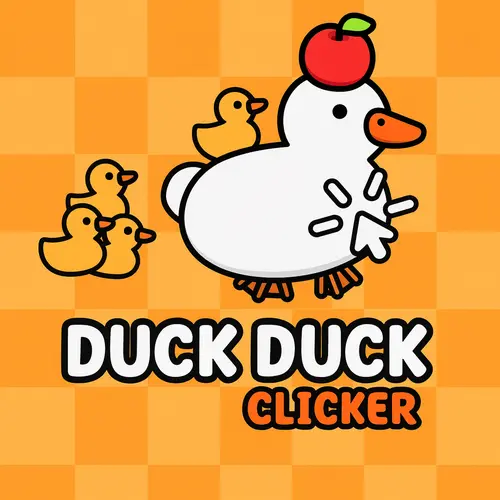
Duck Duck Clicker
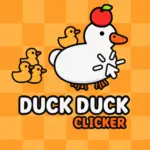
Duck Duck Clicker is a light, character-focused clicker game built around one wonderfully simple goal: pet the duck, earn Ducket$, and give your feathered star a new look.…
 Works on Desktop & Mobile
Tested By XoomGames
- Test date
- August 21, 2026
- Tested on
- Chrome 150
- Device
- Desktop
- Operating system
- macOS and Windows
- Game loaded successfully
- Yes
- Fullscreen works
- Yes
- Sound works
- Yes
- Save progress
- Local browser storage
- Mobile compatibility
- Partially tested
- Keyboard controls
- Working
- Controller support
- Not detected
- Average loading time
- 4.2 seconds
- Known issues
- Minor delay after entering fullscreen
Duck Duck Clicker not loading?
- Refresh the page.
- Disable restrictive content blockers temporarily.
- Confirm JavaScript and WebGL are enabled.
- Clear the browser cache.
- Try another modern browser.
- Close unnecessary tabs.
- Switch off VPN if the game server is blocked.
- Use the Report a Problem button if the issue continues.
Related Games



Continue Playing
Daily Challenge

Play 7 minutes today in Duck Duck Clicker.
Leaderboard
- 1Community rating4.6 ★
- 2Player likes662
- 3Total votes738
- 4Your local progress0%
Your progress is saved locally in this browser. No account required.
 Your progress is saved locally in this browser. No account required.
How to Play
Start by finding the duck at the center of the game screen. Your first job is simply to pet it through clicks or taps. Each successful interaction earns Ducket$, the currency used for your progress. There is no complicated opening tutorial to solve: the duck is the main target, and interacting with it is the action that drives the game forward.
- Click or tap the duck. Keep your attention on the central duck and interact with it repeatedly to begin collecting Ducket$.
- Build your currency total. Continue petting the duck until you have enough Ducket$ to explore the available dress-up and customization choices.
- Choose a customization goal. Look for the items or styles you want most, then decide whether to unlock one as soon as possible or save for another option.
- Dress up the duck. Use your earned progress to give the duck a fresh look and make the collection aspect of the game part of your goal.
- Return to clicking. Once you have chosen a style, keep earning Ducket$ to continue unlocking more ways to customize the duck.
A useful beginner mindset is to treat every click as both a quick reward and a step toward a cosmetic target. The game is most enjoyable when you give yourself a simple objective, such as earning enough for the next item you want. That creates a satisfying loop: pet, collect, unlock, and personalize.
Do not worry about rushing. Duck Duck Clicker is a casual experience, so you can play at a pace that suits you. A few quick taps can make a short break more entertaining, while a longer session gives you more time to gather Ducket$ and pursue your favorite duck style.
On mobile: use on-screen buttons or gestures when the game supports them.
 On mobile: use on-screen buttons or gestures when the game supports them.
Controls
- ↑Jump
- ← →Move Left / Right
- ↓Crouch
- W / ↑Climb / Interact
- S / ↓Drop / Slide
Duck Duck Clicker uses intentionally minimal controls. The main interaction is the same across common devices: select the duck and pet it repeatedly to earn Ducket$. This uncomplicated input keeps the focus on currency collection and duck customization instead of button combinations.
| Device | Main action |
|---|---|
| Desktop or laptop | Click the duck |
| Phone or tablet | Tap the duck |
On desktop, position the cursor over the duck and use repeated mouse clicks. On touch devices, tap directly on the duck with a finger. When reviewing customization choices, use the on-screen options presented by the game. No advanced keyboard commands are needed for the core petting loop.
For comfortable longer sessions, keep your pointer or tapping hand close to the center of the screen. The goal is steady interaction rather than fast movement across many different targets. If you are new to clicker games, this is a particularly approachable format because the most important control is visible from the moment the game begins.
Game Progress & Challenges
Why Play This Game?
 Instant PlayPlay instantly in your browser.
 Free to PlayNo hidden fees.
About "Duck Duck Clicker"
Duck Duck Clicker is a light, character-focused clicker game built around one wonderfully simple goal: pet the duck, earn Ducket$, and give your feathered star a new look. The duck stays at the center of the action, so every click or tap immediately contributes to your growing currency total. It is an easy game to understand in seconds, yet the steady pull of earning more and checking new customization options makes it satisfying to keep playing.
Rather than asking players to learn a complicated set of systems, Duck Duck Clicker makes the basic clicker loop clear. Interact with the duck, collect currency, and use that progress to pursue fun cosmetic changes. The focus is not on racing through levels or defeating opponents; it is on the cheerful rhythm of petting, collecting, and dressing up a duck with plenty of personality.
This makes the game a strong fit for quick breaks as well as longer casual sessions. New players can begin immediately, while returning players can concentrate on building Ducket$ and deciding which look to unlock next. If you enjoy simple incremental games with a playful customization goal, this duck is ready for attention.
Gameplay
The central gameplay loop in Duck Duck Clicker is direct and readable. Click or tap the duck in the middle of the screen to earn Ducket$. Each interaction is a small, immediate action, which is exactly what gives a clicker game its fast feedback. Instead of waiting for a turn, aiming at targets, or navigating a large map, you put your attention into the duck and watch your currency build through repeated pets.
Ducket$ is the game’s key progress resource. Earning it gives the clicking a purpose beyond simply increasing a number: it supports the goal of unlocking ways to dress up and personalize the duck. Customization turns the basic loop into a collection activity. You are not only trying to click more; you are working toward a different appearance and a duck that feels more like your own.
The best way to approach a session is to alternate between two priorities. First, spend time actively clicking so your Ducket$ total rises. Second, pause when you have enough currency to review available dress-up choices and decide what you want to unlock. That small decision point keeps the game from being only repetitive tapping. Players can choose whether to save toward a preferred item or enjoy a new style as soon as it becomes available.
Duck Duck Clicker is designed around accessible, low-pressure progress. There is no need to master combat timing or memorize elaborate commands. The challenge is mainly one of persistence and choice: keep the duck happily petted, accumulate Ducket$, and make each earned customization feel worthwhile.
Platform
Duck Duck Clicker is suited to browser play, making it convenient for players who want a clicker game without a complicated setup. Open the game page in a modern web browser, let it load, and begin interacting with the duck. Its core action uses simple clicking or tapping, so the experience is easy to understand on desktop and touch-friendly devices.
On a computer, a mouse gives you a straightforward way to click the central duck repeatedly. On a phone or tablet, tapping serves the same main purpose. Because the game is centered on a single clear interaction, it does not require a gamepad, a large keyboard layout, or specialist controls to get started.
Browser games are especially useful when you want a short, self-contained activity during a break. Duck Duck Clicker fits that format well: the objective is visible, the currency goal is easy to follow, and the customization focus gives each session a clear reason to continue. Use a stable browser session for the smoothest experience, particularly when you plan to spend time earning Ducket$ for new duck items.
How to Play "Duck Duck Clicker"
Start by finding the duck at the center of the game screen. Your first job is simply to pet it through clicks or taps. Each successful interaction earns Ducket$, the currency used for your progress. There is no complicated opening tutorial to solve: the duck is the main target, and interacting with it is the action that drives the game forward.
- Click or tap the duck. Keep your attention on the central duck and interact with it repeatedly to begin collecting Ducket$.
- Build your currency total. Continue petting the duck until you have enough Ducket$ to explore the available dress-up and customization choices.
- Choose a customization goal. Look for the items or styles you want most, then decide whether to unlock one as soon as possible or save for another option.
- Dress up the duck. Use your earned progress to give the duck a fresh look and make the collection aspect of the game part of your goal.
- Return to clicking. Once you have chosen a style, keep earning Ducket$ to continue unlocking more ways to customize the duck.
A useful beginner mindset is to treat every click as both a quick reward and a step toward a cosmetic target. The game is most enjoyable when you give yourself a simple objective, such as earning enough for the next item you want. That creates a satisfying loop: pet, collect, unlock, and personalize.
Do not worry about rushing. Duck Duck Clicker is a casual experience, so you can play at a pace that suits you. A few quick taps can make a short break more entertaining, while a longer session gives you more time to gather Ducket$ and pursue your favorite duck style.
Controls
Duck Duck Clicker uses intentionally minimal controls. The main interaction is the same across common devices: select the duck and pet it repeatedly to earn Ducket$. This uncomplicated input keeps the focus on currency collection and duck customization instead of button combinations.
| Device | Main action |
|---|---|
| Desktop or laptop | Click the duck |
| Phone or tablet | Tap the duck |
On desktop, position the cursor over the duck and use repeated mouse clicks. On touch devices, tap directly on the duck with a finger. When reviewing customization choices, use the on-screen options presented by the game. No advanced keyboard commands are needed for the core petting loop.
For comfortable longer sessions, keep your pointer or tapping hand close to the center of the screen. The goal is steady interaction rather than fast movement across many different targets. If you are new to clicker games, this is a particularly approachable format because the most important control is visible from the moment the game begins.
Can "Duck Duck Clicker" Unblocked?
Duck Duck Clicker unblocked on XoomGames is a convenient option for players looking for a simple browser-based clicker experience. The game’s central design works especially well for quick access: open the page, interact with the duck, and start earning Ducket$ without needing to learn a deep control scheme first.
Its accessible format is useful when you want a casual game that can fit into a short pause. The objective stays clear throughout play: pet the duck to collect currency, then use that progress toward dress-up customizations. That means even a brief session has direction, whether you are working toward a particular item or simply enjoying a few minutes of tapping.
For the most reliable play session, use an up-to-date web browser and make sure the game page has finished loading before you start clicking. If you are seeking more quick-play options after your duck has a new look, XoomGames also offers a wide selection of online games for different casual play styles.
Tips for "Duck Duck Clicker"
The strongest Duck Duck Clicker strategy is simple: make your clicking purposeful. Since Ducket$ comes from petting the duck, consistent interaction is the foundation of every customization goal. Instead of clicking without a plan, choose an item or style you would like to unlock and treat it as your current target. A visible goal makes each group of clicks feel more meaningful.
- Focus on the central target. Keep your attention on the duck, since it is the source of the currency that drives the game.
- Build a steady rhythm. Consistent clicks or taps are easier to maintain than brief, unfocused bursts. Play at a comfortable pace that lets you enjoy the loop.
- Save with intent. If a customization catches your eye, avoid spending Ducket$ casually when you would rather reach that specific target.
- Check choices before committing. Dress-up options are part of the game’s reward structure, so take a moment to decide which look you value most.
- Use short sessions well. Even a few minutes can add to your Ducket$ total. A quick session is productive when you know what you are saving toward.
New players sometimes assume a clicker must be played as quickly as possible at all times. In Duck Duck Clicker, speed can help with collecting, but it is not the whole experience. The enjoyment comes from linking the repeated petting action to the personality of the duck and the anticipation of a new cosmetic reward. A comfortable pace is better than turning a casual game into a chore.
It also helps to separate your session into small milestones. For example, decide that your next objective is to earn enough Ducket$ to review the next customization choice. Once you reach that milestone, make a deliberate decision about what to unlock and then set a new target. This approach gives the game a gentle sense of progress without requiring complicated planning.
Features "Duck Duck Clicker"
Duck Duck Clicker combines the familiar appeal of a clicker game with a character-driven dress-up objective. Its features are built around immediate interaction, clear currency progress, and the fun of seeing a simple duck become more personalized as you play.
- Duck-centered clicking: The duck is the core of the game. Click or tap it to pet it and generate Ducket$.
- Ducket$ currency: Your earned currency gives every interaction a clear purpose and marks your progress through the game.
- Dress-up customizations: Unlock items and looks that let you change the duck’s style rather than leaving it the same throughout play.
- Simple browser format: The game is easy to start and suits players who want direct, no-fuss casual gameplay.
- Mouse and touch support: Clicking on desktop and tapping on touch devices both match the game’s main interaction.
- Low-pressure progression: There are no complex combat systems or crowded control layouts standing between you and the main loop.
The most important feature is how these elements connect. Petting the duck is not an isolated action because it produces Ducket$. Ducket$ is not just a score because it supports customization. Customization is not merely decoration because it gives players a personal reason to continue collecting. This compact chain makes the game easy for beginners to read while still giving fans of incremental games a satisfying collection goal.
Duck Duck Clicker also stands out through its playful tone. The idea of earning currency by giving a duck attention is intentionally silly, and the dress-up focus lets that humor carry into the player’s choices. It is a relaxed game for anyone who wants a clear loop, frequent feedback, and a cheerful character at the center of the screen.
Best "Duck Duck Clicker" Similar Games & Top Picks
- Race Clicker Tap Tap: Play Race Clicker Tap Tap unblocked on XoomGames. Tap quickly, guide your runner, and sharpen racing timing in your browser.
- Capybara Evolution: Clicker: Play Capybara Evolution: Clicker unblocked on XoomGames. Click for coins, unlock upgrades, and evolve your capybaras in your browser.
- Doge Miner: Play Doge Miner unblocked on XoomGames. Click Doge, mine dogecoins, buy equipment, and work toward the moon in your browser.
- Spacebar Clicker: Play Spacebar Clicker unblocked on XoomGames. Press Space, earn points, and buy upgrades that improve your browser run.
- Roblox Clicker: Play Roblox Clicker unblocked on XoomGames. Build clicks, explore codes, and follow the leaderboard in your browser.
FAQ - Duck Duck Clicker
What is Duck Duck Clicker?
Duck Duck Clicker is a casual browser clicker game about petting a duck to earn Ducket$. The currency you collect can be used to unlock dress-up customizations, giving the duck different looks as you progress.
How do I earn Ducket$?
Earn Ducket$ by clicking or tapping the duck at the center of the screen. Repeatedly petting the duck is the game’s main action and the basic way to build your currency total.
What can I do with Ducket$?
Ducket$ supports the game’s customization goal. Collect enough currency to unlock items and dress up the duck. Saving toward a style you like gives your clicking a clear short-term objective.
Can I play Duck Duck Clicker in a browser?
Yes. Duck Duck Clicker is designed for browser play. Load the game page in a modern browser, then begin by clicking or tapping the central duck. Its simple format makes it suitable for quick casual sessions.
Does Duck Duck Clicker work on mobile devices?
The main interaction is tapping the duck, which suits touch-enabled phones and tablets. On desktop or laptop computers, use mouse clicks instead. The central petting mechanic remains the same across these input styles.
Are there complicated controls to learn?
No. The core control is direct: click the duck with a mouse or tap it on a touch screen. Use the game’s on-screen choices when you want to review or select available customizations.
What is the goal of Duck Duck Clicker?
The goal is to pet the duck, accumulate Ducket$, and dress it up with fun customizations. It is less about finishing a traditional level-based campaign and more about enjoying steady progress and creating a duck look you like.
Is Duck Duck Clicker a good game for short breaks?
Yes. The game starts with a clear action and does not require a long tutorial. You can spend a few minutes earning Ducket$ or play longer when you want to work toward a particular customization. Its straightforward loop makes it easy to pause and return to later.
 Report a Problem
Comments About Duck Duck Clicker